
What Intune can and can't do when a device goes missing
- It's a lookup, not tracking: Intune collects location only when an admin triggers Locate device, never continuously, and deletes the result after 24 hours.
- macOS has no location path: supported platforms are corporate-owned Android Enterprise, supervised iOS/iPadOS with Lost Mode, and Windows with a location policy. Macs and BYOD are excluded.
- The button greys out for three reasons: unsupported platform, policy never assigned, or missing role permissions. All are configured before the loss, and an offline device can't receive them afterwards.
- No history, no geofencing: only Android Enterprise dedicated devices keep a last known location (refreshed ~8 hours, retained 7 days). Intune has no device-recovery geofencing at all.
- Most teams layer rather than migrate: in Wynter research, 11 of 15 IT buyers ran Intune with a second tool on top for tracking and recovery.
Yes, Intune can locate a lost company laptop, but only on demand and only if it was set up before the loss. An admin opens the device in the Intune admin center and runs Locate device, which returns a single pin if the device is online, on a supported platform, and already has the location policy applied. Macs are not supported, and there is no location history to fall back on.
A laptop goes missing on a Friday night. Monday morning you open the Intune admin center, find the device, and reach for Locate device. The button is greyed out.
That moment is where most IT teams actually learn what Intune's location features do. Not from the documentation, not during rollout, but during an incident, when there is nothing left to configure and no time to configure it.
Here is the part that catches people: every prerequisite for locating a device in Intune has to be in place before the device goes missing. The platform has to be supported. The enrollment mode has to be right. The policy has to have reached the device. There is no retroactive path, because a device that is already gone cannot check in to receive the setting you just pushed.
None of this makes Intune a bad product. It manages policy, compliance, and applications very well, and most of the teams reading this are not going to replace it. But device location is the one area where what Intune offers and what people assume it offers are genuinely far apart, and the distance only becomes visible under pressure.
This article maps that distance precisely. Which platforms Intune location tracking supports and which it silently doesn't, why the button greys out, what happens to the data after 24 hours, and what teams put alongside Intune to cover the difference.
What Intune's Locate device action actually does
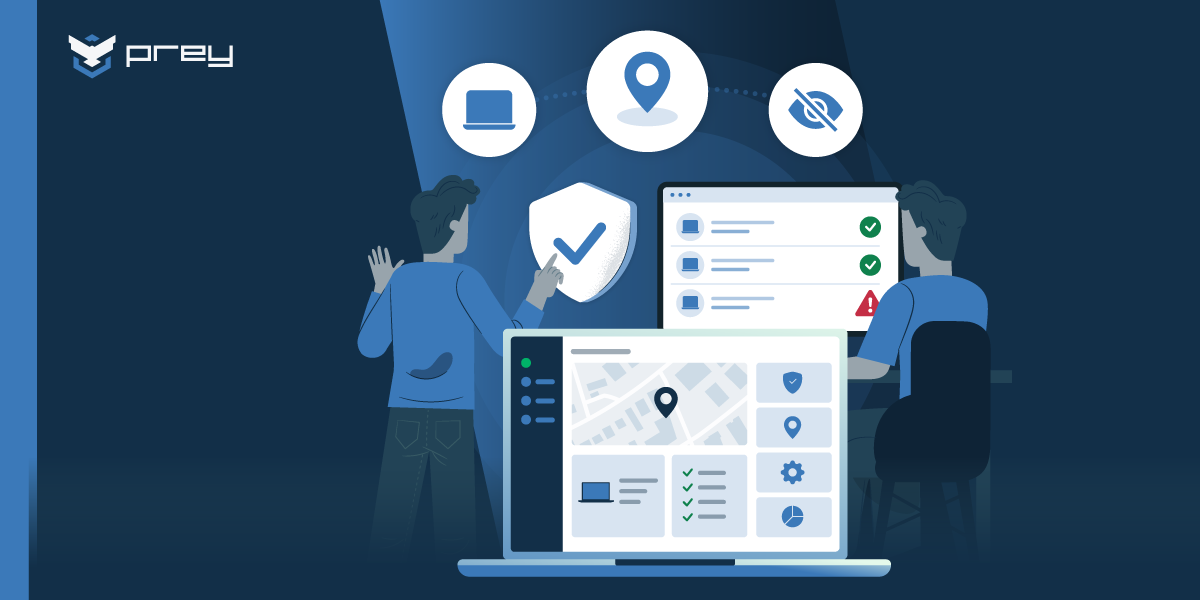
Intune's Locate device action retrieves a device's latitude and longitude on demand through the Microsoft Graph API and displays a single pin on a map. It collects location only at the moment an admin triggers it, never before, and deletes the result after 24 hours. It is a lookup, not a tracking system.
That distinction sounds pedantic until you need it. Microsoft's own documentation is unambiguous about the collection model: "Location data is only collected when you initiate the Locate Device action—never before." The device is not reporting its position on a schedule. Nothing is accumulating in the background. When your help desk operator clicks the button, the service sends a request, and if the device is online, supported, and configured, it answers with a coordinate.
Running the action requires an account with the Help Desk Operator role, the School Administrator role, or a custom role carrying the Remote tasks/Locate device permission. On Android there is an additional wrinkle: the action only appears if the admin can also read the policies that configure device location, which means Device configuration/Read plus scope tag visibility to the relevant profile.
So the operational picture is a person, a button, and a single request that either succeeds in the next few seconds or doesn't. Everything else in this article follows from that.
How to locate a lost company laptop in Intune
To locate a device in Intune, sign in to the Microsoft Intune admin center, go to Devices > All devices, select the device, and choose Locate device from the row of actions at the top of its overview pane. If the device is online and configured, a single pin appears on a map within a few seconds, and Intune keeps that result for 24 hours.
What has to be in place before the loss: a supported platform, the device restrictions or settings catalog policy that enables location, and an admin role with the Remote tasks/Locate device permission. On supervised iPhones and iPads, Lost Mode has to be enabled for Locate device to work. On Android, location services must be on and the Intune app installed.
If the button is greyed out or nothing comes back: the device is usually offline, on an unsupported platform, or missing the policy. A policy you push now only applies once the device reconnects, so the practical next move is to protect the data with a remote lock or wipe and check again later. Windows also has its own Find my device feature, but Microsoft documents it for devices signed in with a personal Microsoft account. It is not the managed path for a company fleet.
Where Intune location tracking works, and where it doesn't
Intune location tracking supports Android Enterprise corporate-owned devices (dedicated, fully managed, and work profile), iOS and iPadOS in Supervised Mode with Lost Mode enabled, and Windows with a location policy assigned. macOS is not supported. Neither are personally-owned or non-supervised devices.
That is the whole list, and it is shorter than most teams expect.
| Platform / enrollment mode | Locate device | What it requires |
|---|---|---|
| Android Enterprise dedicated (COSU) | Supported | Enabled by default unless blocked by a device restrictions profile. Only mode with last known location (7 days). |
| Android Enterprise fully managed (COBO) | Supported | Must be explicitly enabled via device restrictions profile. Location services on, Intune app installed. |
| Android Enterprise corporate-owned work profile (COPE) | Supported | Explicitly enabled via profile, plus the user must grant Intune location permission set to "Allow all the time." |
| iOS / iPadOS | Supported, conditionally | Supervised Mode only, with Lost Mode enabled. Non-supervised devices are not supported. |
| Windows | Supported | Requires a Settings catalog policy: Privacy → Let Apps Access Location → Force allow, assigned to the device group. |
| macOS | Not supported | No Locate device path exists for macOS in Intune, under any configuration. |
| Personally-owned / BYOD | Not supported | Non-supervised iOS and personally-owned Android work profiles are absent from the supported list. |
Source: Microsoft Learn, Device Action: Locate Device, updated May 2026.
The macOS gap
There is no Locate device path for Macs. Not a limited one, not a slower one. The platform simply does not appear in the supported list.
For a design team, a newsroom, or any engineering org running MacBooks, this is the most consequential line in Microsoft's documentation. It is also easy to miss, because it is an absence rather than a warning. If your fleet is mixed, the Macs are outside Intune's location story entirely, no matter how well enrolled and compliant they are in every other respect.
What about BYOD and personal devices?
Also outside. iOS devices that aren't in Supervised Mode don't qualify, and Supervised Mode generally means the device was enrolled through Apple Business Manager or Apple School Manager as a corporate asset. Personally-owned Android work profiles don't appear in the supported list either; the Android entries are all corporate-owned modes.
This matters more than the raw device count suggests. BYOD phones and tablets, like the laptops in your managed fleet, frequently carry mail, documents, and session tokens. They are also the ones most likely to be left in a taxi.
Quick win: Pull two lists this week. First, every macOS device in your fleet. Second, every iOS device not in Supervised Mode. Those two lists together are the devices Intune cannot locate under any configuration, and most teams are surprised by the size of the combined number.
Why is the Locate device button greyed out?
Locate device appears greyed out for three reasons: the platform isn't supported, the enabling policy was never assigned to that device, or the account lacks the required role and read permissions. All three are configured before a device goes missing. An offline device cannot receive a policy you push afterwards.
This is where the Friday-night scenario resolves. Each cause looks the same in the console and has a different answer, and only one of them can still be fixed once the device is gone.
| Cause | How it looks in the console | What to check | Fixable once the device is gone? |
|---|---|---|---|
| Platform isn't supported | Button greyed out | The supported platform list. macOS, personally-owned devices, and non-supervised iOS never qualify. | No. No configuration changes this. |
| Enabling policy was never assigned | Button greyed out | Group assignment for the location policy, plus the device's last check-in time. | No, once the device is offline. It can't receive the policy you push now. |
| Account lacks the role or read permissions | Button greyed out | Remote tasks/Locate device on the role. On Android, also Device configuration/Read plus scope tag visibility to the policy. | Yes. The only cause that lives in your tenant rather than on the device. |
| User permission not granted (Android COPE) | Button active, no response | Intune app location permission on the handset, set to Allow all the time rather than While using the app. | No, not without the device in hand. |
Notice which row is the exception. A missing role assignment is the only cause you can still resolve while the laptop is gone, because it lives in your tenant rather than on the device. Everything else needed a decision someone made weeks earlier. Pushing the Windows location policy now accomplishes nothing, because the machine has been off the network since Friday evening and cannot receive it.
The user-permission requirement on Android deserves particular attention, because it is the one that fails quietly. An admin can enable Locate device in the restrictions profile, confirm it applied, and still get nothing back. The reason sits on the handset: the employee set location permission to While using the app instead of Allow all the time. The console shows the feature as enabled. The device declines to answer.
Quick win: Push the Windows location policy to every Windows group now, before you need it, and verify it applied rather than assuming it did. Then run a test Locate device against one live machine per platform per enrollment type. A successful test today is worth more than a correct configuration you never confirmed.
Intune location tracking is a lookup, not a history
Even when everything works, you get one pin from one moment. There is no trail behind it, and that absence shapes what you can and cannot do afterwards.
Microsoft's documentation states that location data "is stored for 24 hours and automatically deleted. Manual deletion is not supported." One coordinate, one day, then gone.
A partial exception exists for Android Enterprise dedicated devices (COSU), which can show a last known location when the device is offline. Intune collects that last known position roughly every eight hours or when the device checks in, and retains it for up to seven days. Past seven days without a check-in, it cannot be displayed at all. That is the most generous location retention Intune offers anywhere, and it applies to a single enrollment mode most organizations use only for shared kiosk or frontline devices.
Intune has no geofencing for device recovery. There is no notification when a device leaves a site, and no rule that fires when a laptop turns up somewhere it shouldn't be.
The closest thing Microsoft offers sits in a different product and answers a different question. Microsoft Entra Conditional Access supports named locations determined by GPS coordinates, collected hourly through the Microsoft Authenticator app on a user's phone. That is an access-control mechanism: it decides whether a sign-in is allowed from a given country, not whether a laptop has left your building. It resolves to country level, it depends on the user approving the prompt, and it has nothing to say about a device powered off in someone's car. Alerting when a device crosses a boundary is a geofencing capability that lives outside Intune entirely.
Location in Intune is something you go and ask for, never something that tells you.
How long does Intune keep location data?
Twenty-four hours for a triggered Locate device result across all supported platforms, and up to seven days for the last known location of Android Enterprise dedicated devices specifically. Nothing is retained beyond that, and there is no mechanism to export or accumulate a device's positions over time.
The practical consequence arrives later than the incident. When a claims adjuster asks where the device has been since Thursday, or when an investigator wants to know whether it moved before or after the data was accessed, a single expired coordinate doesn't answer the question. You are not missing a report. You are missing the underlying data, because it was never collected. That is a different problem from a reporting gap, and it is why continuous fleet visibility is the thing worth solving rather than a better export.
What the gap costs during a real device loss
Consider a supervised iPad from a school's one-to-one program. It goes missing Thursday. The technology director runs Locate device Friday and gets a pin near a residential block. Over the weekend the district's insurer asks for the device's movement history. Intune has one point from Friday, and by Monday it has deleted it.
Nothing failed here. Every component worked as documented. The gap is between what the tool collects and what the situation requires, and it only becomes visible once somebody external asks a question.
That pattern repeats across regulatory contexts. GDPR's 72-hour notification window, HIPAA's 60-day requirement, and FERPA's expectations around student records converge on one operational question. Can you demonstrate what happened to this device, and whether data was exposed? A coordinate that expired yesterday is thin evidence. A location timeline, with timestamps, is the thing that actually closes an incident file.
Speed compounds the problem. One MSP serving legal, investment, and healthcare clients measured a remote wipe in Intune taking 34 minutes to initiate during testing. That is a single field observation rather than a benchmark, and results will vary by tenant and connectivity. But it points at something real: when device loss turns into a data question, the interval between knowing and acting is the whole game, and half an hour of it spent waiting is expensive.
It also explains a pattern worth naming plainly. In Prey's demo conversations, roughly one in five prospects arrives describing their current tool as slow to respond, and Intune is the tool named most often. These are not people looking to leave Microsoft. They are people who discovered that one part of the stack doesn't move at incident speed.
Quick win: Write your device-loss runbook against what Intune actually returns, not what you hope it returns. Three lines:
- Which devices we can locate, by platform and enrollment mode.
- What data we still have 24 hours after the lookup.
- Who we call for everything the first two lines don't cover.
If the third line is empty, that is your gap, stated precisely enough to do something about.
How teams close the gap without replacing Intune
Almost nobody solves this by leaving Intune, and the reason is structural rather than sentimental. Intune is doing real work on policy, compliance, conditional access, and application management, and migrating off it to gain location would be a bad trade.
What teams do instead is layer, and the practical question becomes how Prey and Intune work together rather than which one wins. In Wynter research with IT buyers, 11 of 15 ran Intune, and almost all of them ran a second tool alongside it. Buyers in Prey's demo conversations frequently arrive having already framed it that way. One IT services lead in Panama put it directly: their MDM didn't allow continuous tracking, so they went looking for a complement, not a replacement.
What a recovery layer adds
The category is endpoint tracking and recovery, and it covers the specific things Intune's on-demand lookup doesn't:
- Always-on location rather than a single triggered pin.
- Location history with timestamps, the kind you can hand to an insurer or an investigator.
- Geofencing that alerts when a device leaves a defined area, instead of waiting for someone to ask.
- Coverage across Windows, macOS, Linux, Android, iOS, and Chromebook, including the platforms Intune can't locate at all.
Prey is one implementation of that layer, built for exactly this position in the stack. A construction-sector IT team described running both, in a public G2 review from February 2026:
"We may use Intune, yet adding location services on that, it takes forever by the time the device is located. With Prey, it is instantly and we also get the history of past check-in. We have recovered 'lost' devices with Prey."
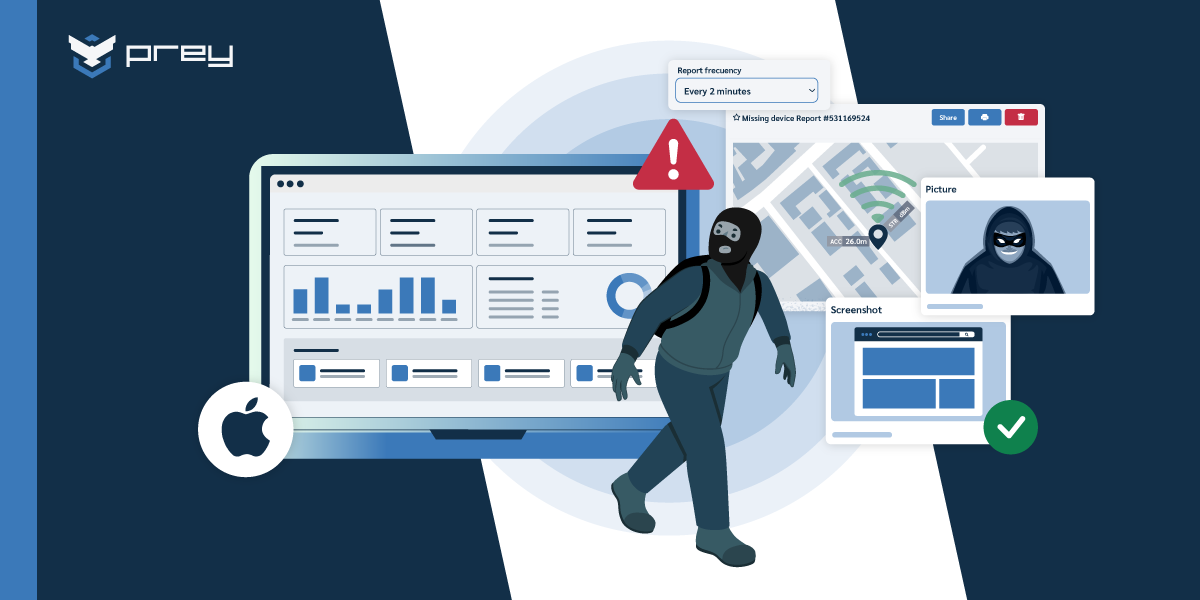
Operationally, the workflow differs in one decisive way: because position data accumulates rather than being fetched on demand, the history exists before you need it. When a device is declared lost, you are reading a record, not initiating a request and hoping the device answers.
The privacy question comes up immediately, and it should. The answer is scoping, not reassurance: tracking that activates only when a device is declared lost or stolen, with role-based access to the data, is a materially different proposition from ambient monitoring.
Conclusion
Intune's location features are not broken. They are narrow, and they are front-loaded.
Narrow, because the supported list excludes macOS entirely, and excludes personally-owned devices. What you get back is one coordinate that expires in a day. Front-loaded, because every condition that makes Locate device work (supported platform, correct enrollment mode, assigned policy, granted permission, sufficient role) is set long before the incident. On the day you need it, there is nothing left to adjust.
So the useful move isn't to argue with the design. It's to find out where you actually stand while nothing is on fire. Open the admin center this week, pick one device from each platform and enrollment type in your fleet, and run Locate device against it. The ones that return a pin are covered. The ones that come back greyed out are your real inventory of blind spots, and now you have it today instead of on a Friday night.
FAQ
What's the best complement to Intune for device tracking and recovery?
Teams typically pair Intune with a dedicated endpoint tracking and recovery platform rather than replacing it. Intune keeps policy, compliance, and app management; the second layer supplies always-on location, location history, geofencing, and coverage for platforms Intune can't locate, including macOS. Prey is one option built specifically for this position in the stack, and works alongside Intune without migration.
Can Intune track a device's location?
Intune location tracking works on demand, not continuously. An admin triggers the Locate device action and receives a single coordinate if the device is online, on a supported platform, and correctly configured. Location is collected only at that moment and deleted after 24 hours, so no movement history accumulates.
Can MDM track a missing laptop?
Many MDM platforms, Intune included, locate a device on demand rather than tracking it continuously or keeping a history. That works for a quick lookup on a supported, online device. For missing laptops, especially Macs or devices that stay offline, teams usually add a dedicated tracking tool that reports location on its own and keeps a trail of where the device has been.
Does Intune work for locating macOS devices?
No. macOS is not included in the platforms supported by Intune's Locate device action. Macs enrolled in Intune can receive policies, compliance settings, and applications, but there is no location path for them through Intune regardless of configuration. Organizations with Mac fleets need a separate tool to cover those devices.
Does Intune have geofencing?
Not for device recovery. Intune has no way to define a zone and be notified when a device enters or leaves it. Microsoft Entra Conditional Access does support GPS-based named locations, collected hourly via the Microsoft Authenticator app, but those gate sign-in access at country level rather than alerting you that a laptop left the office. Intune's own location feature is always a manual lookup an admin initiates.
I'm unable to find a device in Intune. What can I do?
Check three things in order: whether the platform is supported at all, whether the enabling policy reached the device, and whether your account has the Remote tasks/Locate device permission. On Android, also verify the user granted the Intune app location permission set to "Allow all the time." If the device is offline, a policy pushed now won't apply until it reconnects.
How long does Intune keep device location data?
Intune stores a triggered Locate device result for 24 hours, then deletes it automatically; manual deletion isn't supported. Android Enterprise dedicated devices additionally retain a last known location, collected roughly every eight hours or at check-in, for up to seven days. No other retention exists, and location data cannot be exported into a history.
See which of your devices are actually covered. Bring your fleet breakdown by platform and enrollment type to a 20-minute walkthrough, and we'll map which devices Intune can locate and which need a second layer. Get started.