
The budget came through. Someone above you decided the company needs to know where its laptops are, and you're the one who has to make it real. You open the deployment doc, get four lines in, and stop. Because you know what happens the day after the agent lands on 200 machines: someone posts in the general channel asking whether the company can now see their browser history.
You're not worried about the technology. You're worried about being the person who brought surveillance into the office.
That worry is well founded, and it's also solvable. Your team won't push back because you can find a laptop. They'll push back because nobody told them what you can't see. This guide covers what tracking collects, how to configure the smallest footprint that works, and what to say before you install anything.
Your team already feels watched, and it isn't about your tool
Ask around before a rollout and you'll hear the same shape of concern from different people. The developer assumes location means continuous location. The sales rep who works from a café on Fridays wonders whether that's now visible. The person who had a bad experience at a previous employer assumes the worst and tells three colleagues.
None of them are reacting to your configuration. They're reacting to the absence of one. In the vacuum between "IT is installing something" and "here is exactly what it does," people fill in the blank with the most invasive thing they can imagine, because that's the version they've read about. Coverage of workplace software has been dominated for years by productivity surveillance: screenshot intervals, idle timers, keystroke counts. When you say "device tracking," that's the frame you inherit whether you want it or not.
The second thing happening is quieter. Most IT managers are executing someone else's decision. "The boss asked me" is one of the most common framings in these conversations, and it puts you in an awkward spot: you own the rollout, you didn't own the choice, and you'll own the fallout. That asymmetry is why so many teams delay deployment for months after purchase. The tool sits in the console, licensed and unused, because nobody wants to send the announcement email.
Waiting doesn't help. An agent that shows up silently on a Tuesday and gets discovered on a Thursday generates far more resistance than one that was explained a week before it arrived. Discovery feels like concealment even when nothing was concealed.
What can IT actually see when device tracking is on?
This is the question your team will actually ask, usually in a channel where you can't edit your answer afterward. So it's worth having the precise version ready.
Device tracking records a device's location at check-in, along with hardware and software inventory: model, serial number, OS version, installed applications, encryption status. It does not capture keystrokes, screen contents, browsing history, application usage time, or communications. That distinction is what separates endpoint security tooling from employee monitoring software, which is built to observe work activity rather than locate hardware.
The confusion between the two categories is the single biggest source of friction in a rollout. Employee monitoring software (Teramind, ActivTrak, Hubstaff) answers questions about productivity: what was this person doing, for how long, in which application. Endpoint security tooling answers questions about hardware: where is this asset, is it encrypted, can I lock it if it disappears. Different buyers, different reasons, fundamentally different data.
One more detail worth explaining to staff, because it changes how the whole thing feels: location is recorded at check-in, not continuously. A device reports its position on a schedule and when an action is requested. Nobody is watching a live map. In practice, this means location history is a series of timestamped points, useful for reconstructing where a missing laptop went and largely uninteresting for anything else.
The most underused argument here is that any of it can be verified on the employee's own machine. The agent is visible: it appears in the installed applications list, usually sits in the system tray or menu bar, and on macOS has to request location permission explicitly, so the operating system itself shows what was granted. Nothing about a legitimate deployment is hidden from the person using the device. Telling your team "open your applications list, find it, check what permissions it asked for" converts an abstract promise into something they can confirm in thirty seconds. Suspicion survives a policy document. It rarely survives a check the person runs themselves.
This is what one Prey user described on G2: "Using a dashboard, you can track the location of all organizational phones while maintaining the privacy of every device." (John S., 5/5, October 2025). Both halves of that sentence are doing work. The fleet is visible. The person is not.
For devices employees own personally, the calculus is different and the boundary needs to be drawn much harder. That's a separate problem with its own controls, and it's covered in more depth in our guide to employee-owned devices.
Quick win: Write the capability list into your policy verbatim, using the same nouns your console uses. If your policy says "device information" and your console says "location history, installed applications, encryption status," you've created exactly the ambiguity you're trying to remove.
Configure for the narrowest footprint that still works
Most tracking deployments collect more than the organization needs, not because anyone decided to, but because defaults are permissive and nobody revisited them. Fixing that first makes the disclosure conversation dramatically easier: it's much simpler to explain a narrow configuration than to defend a broad one.
Four decisions carry most of the weight.
Activation conditions. The most useful setting in this whole category is the one that only tracks a device once it's been declared lost or stolen. Under normal operation the device checks in, reports inventory, and reports nothing about position. The moment something goes missing, you flip its status and location begins. An MSP described this on G2: "For further privacy for the user, the system allows us to only track devices at the time when declared lost or stolen." (Hamza C., 5/5, August 2023). For most office fleets this is the right default, and it's the single most reassuring thing you can tell your team.
Who can see what. Location visibility does not need to be an IT-wide permission. Restrict it to two named people with a documented escalation path, and say who they are. "Two people can see this, and here's who they are" lands very differently than "IT can see this."
Zone alerts instead of continuous logging. If you need to know when a device leaves a defined area, Control Zones (geofencing) will tell you on the exception rather than recording a continuous trail. You get the signal you actually needed without accumulating a position history nobody asked for.
Retention. Decide how long location history lives before you deploy, not after someone asks. An open-ended retention window is hard to justify and easy to avoid.
Underneath all four sits the audit log. Every location lookup, lock, and wipe should be attributable to a named account with a timestamp. That's usually framed as a compliance requirement, and it is, but its more immediate value is social: accountability runs in both directions. If someone asks whether anyone looked up their device last month, that question has an answer.
Platforms built for mixed fleets tend to handle this well, since they were designed around the lost-device workflow rather than the productivity one. Prey is one of them: lost-only activation, role-separated access, zone alerts, and a full action log are exposed as settings rather than assumptions. Confirm how each is licensed in your plan before building a rollout around it, because the location data an MDM collects varies more than most buyers expect.
Quick win: Default to lost-only activation and document the escalation path in the same document as the policy. If the answer to "when does location start" is a status change that a named person makes, you've turned an abstract fear into a procedure.
What do you tell your team, and when?
Announce before you install, in writing, with the capability list attached. That sequence is the whole game. A rollout that is explained on Monday and deployed on Thursday generates a fraction of the resistance of one that lands silently and gets discovered, because discovery reads as concealment regardless of intent.
Here's what that looked like at a 200-person hybrid organization with three offices and roughly half the staff remote on any given day. IT drafted a one-page document with four things on it: what the tool does, what it doesn't do, who can see the data, and how long it's kept. HR reviewed it for tone. Legal confirmed the notice obligation. It went out on a Monday with a named contact for questions. The agent deployed the following Thursday.
They got eleven questions total. Nine were variations on the same three:
- Can you see what I'm doing on my screen?
- Can you see where I am right now?
- What happens to this data if I leave?
Every rollout gets these. Since they're predictable, answer them in the original announcement rather than reactively in a thread where the loudest guess wins.
The framing matters as much as the content. Staff broadly accept that a company laptop is company property; what they don't accept is finding out after the fact that the terms changed. Lead with the thing being protected, the hardware and the data on it, rather than with the capability being deployed.
One more piece of sequencing: get HR and legal named as co-owners in the document itself, not just consulted privately. A policy signed by IT alone reads as something IT did to people. The same policy with three names on it reads as an organizational decision, which is what it actually is. It also produces the documented control an auditor will eventually ask you for, so the paperwork pulls double duty.
Quick win: Publish the capability list before the agent, and give people a named person to ask rather than a shared inbox. The named person converts a policy into a conversation, and conversations don't escalate the way anonymous threads do.
When tracking protects the employee, not the company
Not every tracking requirement points at the worker. Some of them point at the worker's protection, and those cases are worth identifying early because they invert the entire framing of the rollout.
The clearest example comes from Argentina. Employers there are required to report a remote employee's work location to the ART, the labor-risk insurer, in order to maintain accident coverage. As one HR and IT team put it: "We need to report the employee's work location to the ART to guarantee accident coverage." If the declared location is wrong or unreported and an accident happens at home, coverage can be denied. In that arrangement, location data isn't oversight. It's what keeps the employee insured, and an employee who understands that reads the rollout very differently.
Similar logic covers field and lone workers. A technician doing site visits alone, a driver, a nurse on home rounds: knowing where the assigned device is has an obvious safety dimension that has nothing to do with productivity. Organizations that lead their announcement with these roles rather than the office population tend to have smoother deployments: the first example people encounter is protective rather than supervisory.
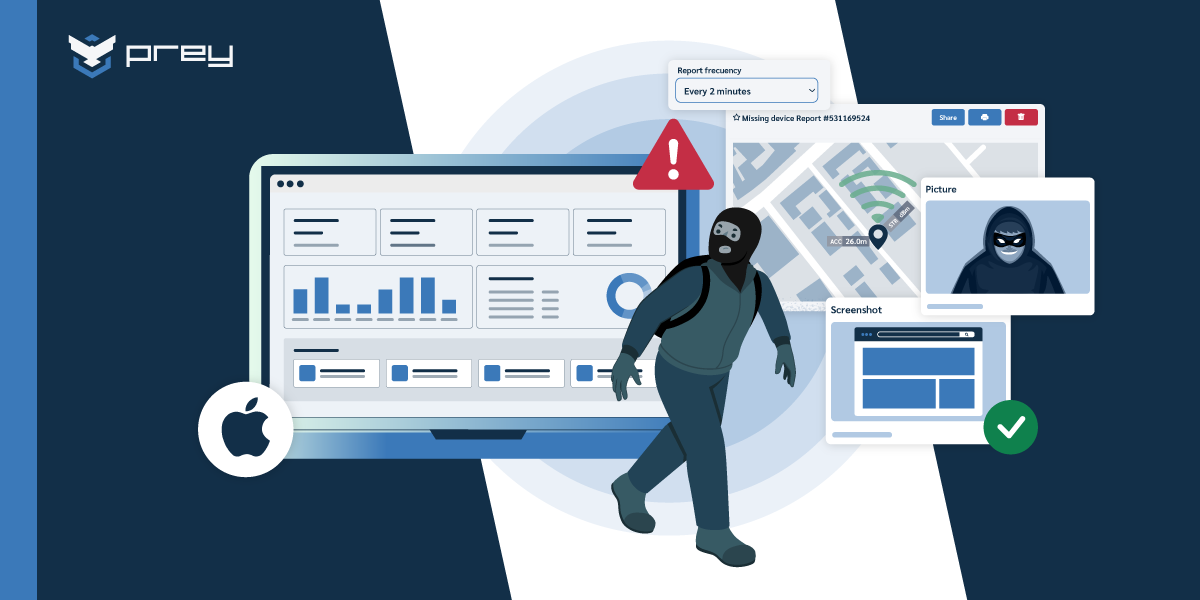
There's a third case, and it's the one this category exists for. A company had a former employee who insisted he'd returned his laptop. He hadn't. The device was geolocated to his home and produced timestamped photos of him using it. It came back within the hour. Note what actually happened there: nobody was monitored, no activity was observed, and the tracking that mattered started after the device was declared missing. This is device recovery working exactly as designed, and it's worth framing internally as an offboarding process rather than as catching someone.
That distinction isn't cosmetic. The process has to work the same way whether the person kept the laptop deliberately or forgot it in a closet, and a workflow is easier to announce than an enforcement action.
Where the legal line actually sits
Nobody wants to read employment law before deploying an agent. Here's the short version that covers most of it.
Tracking a company-owned device is generally permitted where employees are notified in advance and the data collected is proportionate to a stated purpose. Employee-owned devices carry a substantially higher bar. Requirements vary by jurisdiction: several US states mandate written notice, GDPR requires purpose limitation and proportionality for EU staff, and Chile's Ley 21.719 adds data-handling duties that take effect in December 2026.
The dividing line that governs almost everything is ownership. On a corporate-owned device, the organization has a legitimate interest in the asset and the data on it, and the main obligation is transparency: tell people, in advance, in writing, what is collected and why. On an employee-owned device, that interest doesn't extend to the personal partition, which is why containerization exists and why BYOD programs need a genuinely different control set.
Two things travel across every jurisdiction. Notice has to come before collection, not after. And the data collected has to be proportionate to a purpose you can state in one sentence. "So we can locate and lock company hardware if it goes missing" passes that test. "So we have visibility" does not, because it isn't a purpose, it's a category. If you can't finish the sentence "we collect location because," your configuration is broader than your justification.
This is general orientation and not legal advice. Notice requirements in particular differ enough between US states, EU member states, and Latin American regimes that the specific wording is worth confirming locally before you deploy.
Quick win: Confirm your notice obligation in your primary jurisdiction before installation, not after. It's usually a short answer, and getting it wrong is one of the few mistakes in this process that you can't fix by publishing a better document later.
Conclusion
The privacy problem in device tracking is rarely legal and rarely technical. It's a sequencing problem. Teams that configure narrowly and announce early get eleven questions and a deployment. Teams that install first and explain later get a channel thread, a six-month delay, and a configuration they never actually chose to defend.
Your team won't push back because you can find a laptop. They'll push back because nobody told them what you can't see. Every control in this guide (lost-only activation, role-separated access, zone alerts, retention limits, the audit log) is a way of making that answer specific enough to be believed.
Monday-morning version: open your tracking configuration and write down, in plain language, exactly what it collects today. If that list is longer than the sentence you'd use to justify it, narrow the configuration before you write the announcement. The announcement gets much easier to write once the thing it describes is small.
Do you need employee consent to track a company laptop, or is notice enough?
For company-owned devices, most regimes require notice rather than consent, since the organization has a legitimate interest in its own hardware. Employee-owned devices under BYOD generally do require explicit agreement. Requirements vary: several US states mandate written notice, GDPR requires purpose limitation for EU staff, and Chile's Ley 21.719 adds data-handling duties from December 2026. Written disclosure before installation is the practical standard, and what auditors ask to see.
What can IT actually see when device tracking is enabled?
Location at check-in, plus hardware and software inventory: model, serial number, OS version, installed applications, and encryption status. Device tracking does not capture keystrokes, screen contents, browsing history, application usage time, or the contents of messages. Location is recorded on a schedule rather than streamed continuously, so there is no live map of where anyone is.
Can employees remove or disable the tracking agent?
On most platforms, a user with local administrator rights can remove an agent, and a full OS reinstall removes it regardless of configuration. Uninstall protection and restricted admin rights reduce this, but no software agent survives a factory reset. This is a real limitation worth stating plainly: full-disk encryption, BIOS passwords, and activation locks are what cover the gap when the agent is gone.
How is device tracking different from employee monitoring software?
Device tracking answers questions about hardware: where is this asset, is it encrypted, can I lock it. Employee monitoring software answers questions about work activity: which applications, for how long, with what input. They collect different data, are bought by different teams for different reasons, and are not interchangeable. Endpoint security tools generally have no capability to observe screen or keyboard activity at all.
Does this apply to personal devices under BYOD?
No. The controls in this guide assume company-owned hardware, where the organization owns both the asset and the data on it. Employee-owned devices need a separate approach built on containerization and a clear boundary around the personal partition. Our guide to BYOD risks covers that control set in detail.
See the configuration before you commit to the rollout
Want to know exactly what your team would be able to see? Book a walkthrough and we'll show you the lost-only configuration first, along with the access controls and audit log behind it.