Search "company phone tracking" and the results tell you everything about why this topic is a mess. The first page is a wall of spy apps promising to read texts, log keystrokes, and follow someone around a map in real time. That is not what an IT team needs, and it is not what tracking company phones is actually for.
Here is the situation that sends most IT managers looking. A sales rep resigns on a Friday. Their company iPhone still has an active email session, a logged-in CRM, and cached client contacts. By Monday the phone hasn't come back, calls go to voicemail, and nobody is sure whether it's in a drawer at home or already resold. The hardware is a rounding error. The access sitting on that device is the problem.
Multiply that across a fleet of phones that travel between offices, homes, airports, and job sites, mixed in with laptops and tablets, and you get the real job: knowing where company-owned devices are, being able to lock or wipe them when something goes wrong, and getting them back when an employee leaves. None of that requires watching where anyone goes. That distinction is the whole game, because the moment you frame phone tracking as monitoring people, you lose the legal ground, the employee trust, and most of the security value in one move.
This guide covers what company phone tracking is actually for, how the technology works, what to look for in a solution, where the legal and ethical line sits, and how to handle the offboarding case that trips up most fleets. Throughout, the frame stays the same: this is asset security, not surveillance.
Company phone tracking is asset security, not surveillance
Start with what you are protecting. A company-owned phone is not valuable because of the aluminum and glass. It is valuable because of what it can reach: email, chat, the CRM, saved passwords, VPN profiles, and whatever files sync to it. When the FBI's older estimates put the data value of a lost phone at roughly 80% of the total loss, that ratio still holds. Replacing the handset is cheap. Containing the access is not.
That reframes the goal. You are not trying to know where an employee is at 8 p.m. on a Tuesday. You are trying to answer three operational questions fast: is this device where it should be, can I cut off its access if it isn't, and can I get it back or prove it's gone. Tracking exists to feed those answers. Everything else is noise, and some of it is liability.
Two situations drive almost all real demand. The first is theft and loss. Phones get left in cabs, lifted from conference booths, and pocketed from desks. A device that can report its last location and accept a remote lock turns a panic into a procedure. The second is offboarding, which is quieter but more common. Every departure is a small deadline to reclaim a device before it drifts out of reach, and fleets that don't track their phones simply write some percentage off every year.
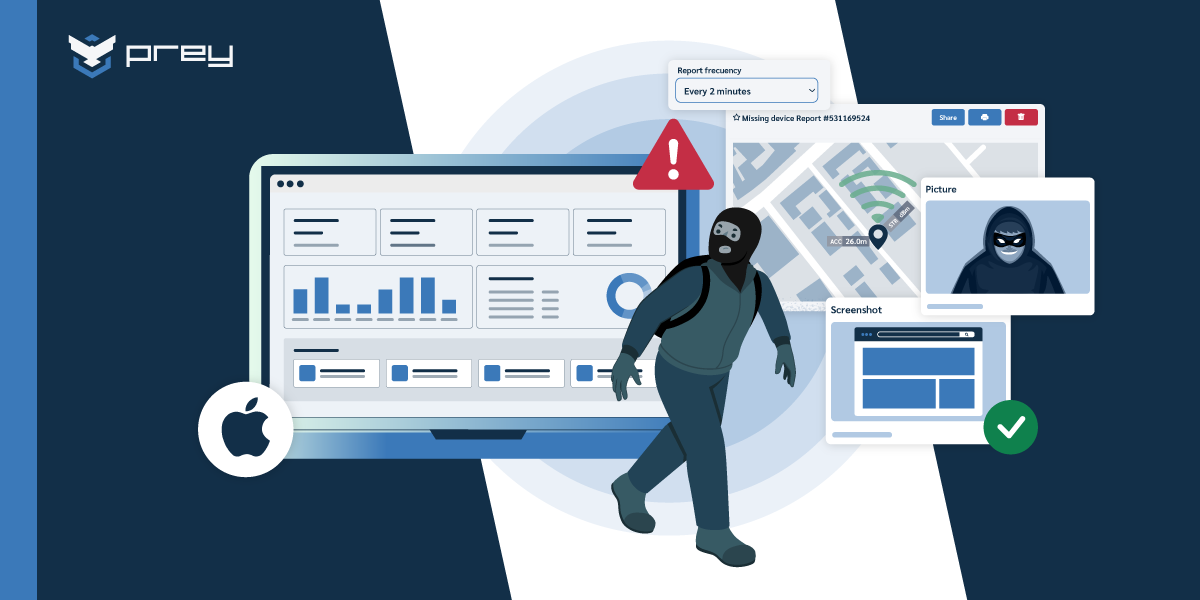
Take a concrete case. A phone goes missing from a trade-show booth mid-afternoon. Because tracking is enabled on the company fleet, IT pulls its last known location, pushes a lock with a callback message on the screen, and captures the surrounding network data as evidence. The rep files a report with that information attached. Whether or not the phone comes back, the company data on it was contained within minutes, and there is a clean record of what happened. That is asset security doing its job. Nobody had to monitor a person to make it work.
Quick win: Ask one question at your next team sync: if a company phone went missing this afternoon, how long until we know, and how long until we can lock it? If the answer is "it depends," that gap is your actual exposure, and it has nothing to do with employee monitoring.
How company phone tracking works
Phones locate themselves through a stack of methods, and understanding the stack sets realistic expectations. GPS gives precise outdoor positioning when the hardware and signal cooperate. Wi-Fi positioning compares nearby networks against global databases and usually lands within a city block, which is often enough to identify a building or neighborhood. GeoIP is the fallback, resolving an approximate city from the device's internet connection when nothing better is available. Good tracking blends all three rather than depending on any one.
The more important distinction is where the tracking lives. Native tools like Apple's Find My and Google's Find Hub operate at the account layer. They are useful, and they should be enabled, but they were built for the personal phone you didn't sign out of. They stop working the moment someone signs out of the account, and they were never designed for an IT team managing a hundred devices from one place. MDM platforms add location on top of device management, but their location is typically periodic and coarse, because management, not recovery, is what they were built for. This is the same gap that shows up on the laptop side, and it's worth understanding the types of device tracking software before committing to one layer.
A dedicated tracking agent sits below the account layer and reports on a schedule or on movement. That is what makes always-on location and theft response possible: the agent keeps working across sign-outs and new user profiles, and it pairs location with actions like remote lock and wipe. Location on its own is half a system. The value shows up when the dot on the map is wired to a response.
Quick win: Enable Find My or Find Hub on every company phone today as a baseline, then verify each one actually shows online from a second device. Native tools are the floor, not the ceiling, but a phone that doesn't check in even at the account layer is already a blind spot.
What to look for in a company phone tracking solution
Once you accept that tracking is about response, the feature list sorts itself out. A handful of capabilities matter far more than the rest for real recovery and containment scenarios.
- Always-on location across GPS, Wi-Fi, and GeoIP, with on-demand and movement-triggered updates, so you're never relying on a location from three days ago.
- Remote lock and wipe, because erasing or locking company data is the point of tracking a lost device, not just seeing where it went.
- Geofencing through Control Zones, so a device leaving a site or region triggers an alert and, if you want, an automatic action.
- Multi-OS coverage from one dashboard across Windows, macOS, Linux, Android, iOS, and Chromebook, because most fleets are mixed and gaps are where devices get lost.
- Movement history with timestamps, which turns a single location into a pattern you can hand to law enforcement or use to reconstruct what happened.
- Multi-tenant management for MSPs and multi-business-unit orgs, so client or department fleets stay logically separated in one console.
Notice what isn't on that list: anything that reads content or scores behavior. A tracking solution that offers keystroke logging or message capture is solving a different, riskier problem, and one you almost certainly don't want to own.
The MSP case shows why the operational features matter. A managed provider running phone fleets for several clients needs to lock a stolen device for one tenant without ever touching another tenant's data, and needs a clean per-client record when a client asks what happened. That is a console and permissions problem as much as a location problem, and it's the same architecture that supports tracking company laptops at scale.
Quick win: When you evaluate vendors, ask one filtering question: does the agent survive a sign-out and keep reporting? If it depends on the account staying logged in, it's a convenience feature, not a recovery tool.
The line between tracking and surveillance
This is where most articles on the topic go wrong, and where the legal exposure actually lives. Tracking a company-owned phone is legal in the US and most jurisdictions, provided employees are informed. When you hand someone a company device, tell them plainly that it carries location and security tracking, put it in a policy they acknowledge, and you're on solid ground. Personal devices are a different story. Monitoring a phone the employee owns, even one used for work, requires explicit consent and a much narrower scope, and covert tracking of a personal device is where lawsuits start.
The scope of what you collect matters as much as consent. Location of a company device for security and recovery is defensible. Reading messages, logging keystrokes, or scoring productivity from activity data is not the same category, and marketing it as "security" doesn't change that. This is the exact boundary Prey draws in its guidance on corporate laptop asset tracking: transparency and data minimization protect both sides, while covert monitoring damages trust the day it's discovered and invites the backlash that follows.
Regulated environments raise the bar further. A healthcare organization issuing phones that can reach patient records under HIPAA, or a European team operating under GDPR, needs tracking that produces evidence of control without over-collecting. GDPR permits device tracking for a legitimate security interest, but it expects transparency, data minimization, and retention limits: who can see location history, and how long it's kept before it's purged. Location logs that prove you can locate and secure a device are useful for a SOC 2 or BYOD program audit. Logs of where your staff went on the weekend are a liability waiting to be requested in discovery.
Take the case that makes this real. A nurse's company phone, with an app that caches patient contact data, goes missing after a shift. IT needs to locate it, lock it, and document the response for a potential HIPAA assessment. Every step there is asset security, and every step produces evidence that helps in an audit. At no point does anyone need to know where the nurse went after work. The privacy-respecting version of tracking and the audit-ready version turn out to be the same version.
Quick win: Read your own phone-tracking policy the way an employee would. If it reads like monitoring, rewrite it around asset security and recovery, name exactly what's collected, and drop anything you can't tie to protecting a company-owned device.
Handling company phones when employees leave
Offboarding is the case that quietly costs the most, because it isn't dramatic. Nobody stole the phone. It just never came back, and by the time anyone notices, the person is gone and the device is somewhere unknown with live access still on it.
A tracked fleet turns that into a short, repeatable sequence. When a departure is scheduled, IT confirms the device in the console, revokes the account sessions and tokens so access is cut regardless of where the phone is, and pushes a lock with a return message and contact info on the screen. If the phone is online, location tells you whether it's at the person's home, still in the office, or somewhere it shouldn't be, which tells you whether this is a friendly return or a recovery. If it stays dark past the return window, the same console escalates to a wipe so the company data is gone even if the hardware never is.
The sequence matters because the instinct on both sides is wrong. The departing employee's instinct is to factory-reset the phone before returning it, which can erase the evidence and the tracking in one tap. IT's instinct is sometimes to wipe immediately, which ends any chance of a clean recovery. Lock first, cut access, locate, and reserve the wipe for when the return window closes. It's the same lock-first discipline that governs recovering a lost or stolen device generally, applied to the predictable case you can actually plan for.
There's a fleet-health angle too. If you can't answer "how many company phones are currently unaccounted for," offboarding is probably where they're leaking. A device that hasn't checked in since an employee left three months ago isn't tracked, it's lost, and it's still carrying whatever it had access to on the day it went quiet.
Quick win: Pull a list of company phones whose assigned user has left in the last six months and check each one's last check-in. Any device silent since the departure date is an open offboarding gap, and probably not the only one.
How endpoint tracking platforms handle company phone recovery
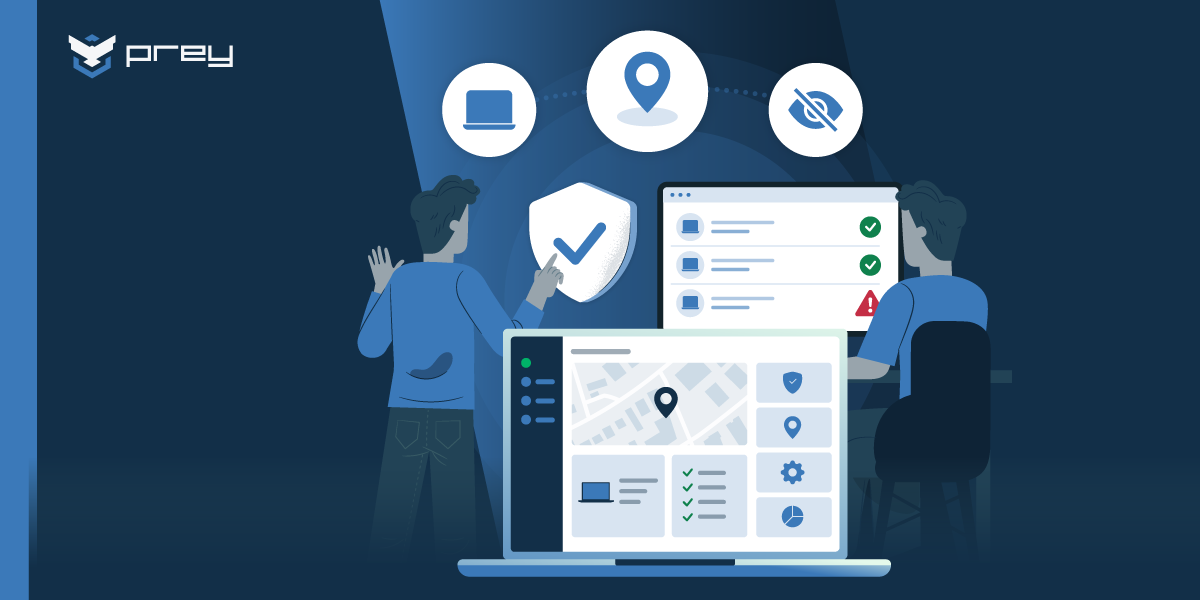
Once the operational logic is clear, this is where a dedicated platform fits. Tools like Prey run an agent that persists below the account layer, so a company phone keeps reporting across sign-outs and profile changes. From one dashboard, an admin sees the fleet on a global map, pushes a lock with a custom message, pulls location and nearby-network data as evidence, and escalates to remote wipe when a device goes dark. Every action lands on an audit timeline with timestamps and operator IDs, which is what turns a recovery into a record you can hand to legal, insurance, or an auditor.
The multi-OS piece is what makes it practical for a real fleet. Company phones rarely travel alone; they sit alongside laptops and tablets across Windows, macOS, Linux, Android, iOS, and Chromebook. Managing that from one console, instead of stitching together Find My, an MDM, and a spreadsheet, is the difference between a response you can run in minutes and one you improvise. For teams already running Microsoft Intune or Jamf, tracking works as a complementary layer rather than a replacement, filling the theft-recovery and location gap those platforms weren't built to cover. And because credential exposure often outlives the device, breach monitoring covers the case where the data, not the phone, is what actually leaks.
Consider the offboarding case one more time. The rep leaves Friday, and by the time IT gets the ticket the phone is off. From the console, they revoke sessions, queue a lock, and set a wipe to fire when the device next connects. The following week it briefly comes online at a resale listing's location; the wipe executes, the data is gone, and the whole sequence is documented. No surveillance, just asset security running to completion.
Final thoughts
Company phone tracking got a bad reputation because the loudest tools in the space sell surveillance dressed up as security. Strip that away and the actual job is narrow and defensible: know where company-owned devices are, cut their access and lock them when something goes wrong, and recover them or prove they're gone. Visibility, control, evidence. That's the whole system, and none of it requires watching a person.
Framed that way, the hard parts get easier. The legal line is clear, because you're tracking assets you own and telling people you do it. The privacy question mostly answers itself, because the data you collect for recovery is the same data an auditor wants and nothing more. And the offboarding leak, the one that quietly costs the most, becomes a checklist instead of a write-off.
Monday-morning action: figure out how many company phones you have, who has them, and when each one last checked in. If you can't answer that in a few minutes, the gap isn't the phones. It's the layer that's supposed to tell you where they are, and it's the same gap a departing employee is counting on.
Frequently asked questions
Can my employer track my work phone?
Yes, if the phone is company-owned and you've been informed. Employers can legally track devices they own for security and asset-management purposes, provided there's a disclosed policy. Tracking a personal phone you use for work is much more restricted and generally requires your explicit consent and a narrower scope.
Can a company-owned phone be tracked when it's turned off?
Not while it's powered off. Tracking tools show the last known location from before shutdown and resume reporting automatically once the phone powers back on and connects to any network. A persistent tracking agent picks up again even if the device has been signed out or reassigned to a new user.
Can a corporate SIM be tracked?
A carrier can locate a SIM through cell-tower data, but companies don't get that access directly. In practice, company phone tracking runs through a software agent or MDM on the device itself, using GPS, Wi-Fi, and GeoIP, which is more precise and gives IT control over location and remote actions like lock and wipe.
Is it legal for a company to track employee phones?
Tracking company-owned phones is legal in the US and most jurisdictions when employees are informed through a clear policy. The legal risk rises sharply with personal devices, covert tracking, or collecting more than location, such as messages or keystrokes. Transparency and limiting collection to what's needed for security keep a program defensible.
What's the difference between company phone tracking and MDM?
MDM focuses on configuring, securing, and managing devices, with location as a secondary, often periodic feature. Dedicated phone tracking focuses on always-on location and theft response, including remote lock, wipe, and evidence gathering. Many organizations run both: MDM for day-to-day management and a tracking layer for recovery and security scenarios.
How do you reclaim company phones when employees leave?
Confirm the device in your console, revoke its account sessions and tokens to cut access, and push a remote lock with a return message before the person is gone. If the phone is online, location tells you whether it's a friendly return or a recovery; if it stays dark past the return window, escalate to a remote wipe so company data is protected either way.
How do you find a missing or lost company phone?
Start from the management console, not the person. If the phone was enrolled before it went missing, an admin can pull its last-known and current location, lock it, and trigger an alarm to surface it if it's nearby. For a company-owned phone this is asset recovery rather than surveillance, and it should be covered in the device policy staff agreed to at handout. Prey shows every company phone's always-on location from one dashboard and lets you lock or wipe if recovery isn't realistic, so a missing handset is a task, not a scramble.
How do you protect data on a lost or stolen company phone?
Lock it first, then decide on a wipe. A remote lock blocks access immediately while you check whether the phone is recoverable; if it isn't, a remote wipe erases company data and accounts. Underneath both, device encryption (standard on modern iOS and Android) keeps the data unreadable in the gap before you act. Prey lets IT lock, locate, and wipe a company phone from the same console and records the action, so a lost phone with sensitive data doesn't become a reportable breach.
See where every company device is, from one dashboard
Prey gives IT teams and MSPs always-on location, remote lock and wipe, and audit-ready evidence across phones, laptops, and tablets on Windows, macOS, Linux, Android, iOS, and Chromebook.