
The hardest part of laptop tracking is not the technology. It's that most IT teams don't realize what they don't see until someone asks for it.
Until a laptop goes missing on a Friday afternoon, until an auditor asks for last-known locations of laptops issued to a remote team, until a CFO asks how many of the 800 laptops provisioned last year are still active, the visibility gap stays hidden. The MDM dashboard shows enrollment. The asset inventory shows assignment. Neither answers where each laptop actually is, when it last checked in, or whether the data on it is still protected.
Laptop tracking isn't about finding a lost laptop. It's about answering "where is every device right now, and when did it last check in?" before someone has to ask.
This guide walks IT teams through how to track a laptop at company scale: the four questions every laptop tracking system must answer, how to track laptop location with native OS tools, how MDM and persistent laptop trackers stack, what evidence compliance frameworks actually expect, and what the handoff looks like when a tracked laptop does go missing.
Why laptop tracking at company scale is a different problem
Personal laptop tracking is reactive. Someone's MacBook goes missing in an Uber, they open Find My on their phone, and they hope. The dashboard is for one device, the question is binary (find it or wipe it), and the user makes the call.
Laptop tracking at company scale is the opposite. It runs all the time across hundreds or thousands of laptops, the questions are continuous (where is everything, what's healthy, what's silent), and the answers feed downstream systems: asset management, incident response, compliance reporting, insurance documentation.
The shift breaks most of what makes personal tracking work. Native tools like Microsoft Find My Device and Apple iCloud Find My were built around a single user's account. They expect the user to know the password, to receive the notification, to make the recovery call. When IT runs laptop tracking across the company, that's the wrong abstraction. IT doesn't have the user's iCloud password. IT can't wait for the user to remember whether Find My was even enabled. IT needs a laptop tracker dashboard that shows every device, every day, with consistent fields across Windows, Mac, and Linux.
The other shift is purpose. Personal tracking serves recovery. Company-wide laptop tracking serves visibility, and recovery is one downstream use among several. Compliance audits ask for evidence that laptops holding regulated data are accounted for. Insurance claims require documented timelines of last-known location. Provisioning workflows depend on knowing which laptops are actually deployed vs. sitting in a closet. None of these are recovery questions.
Take a K-12 IT director with 1,500 student laptops in a 1:1 program. The question is not "how do I find a lost one." It's "of the 1,500 we issued at the start of the year, how many checked in this week, where are they, and which ones are silent?" That's a laptop tracking dashboard question, not a Find My Device question.
Quick win: Pull your laptop inventory and the last-check-in timestamps today. Any laptop that hasn't checked in for 30 days is your first visibility gap. The size of that bucket is the size of your current blind spot.
The four questions every laptop tracking system has to answer
Every laptop tracking system, regardless of vendor or technology, has to answer four questions:
- Where is each laptop right now? Real-time location, or last-known location with a timestamp. The right resolution is "city plus rooftop" accuracy. Tracking laptop location at company scale doesn't need sub-meter precision, but it does need actionable resolution.
- When did it last check in? Laptops that go silent for days or weeks are blind spots. The right laptop tracker surfaces silent devices automatically, without IT having to look.
- Who has it? The mapping between laptop, employee, location, and access level. This is where asset inventory and laptop tracking converge.
- What's on it? Data class, encryption status, software inventory, last patch level. Tracking laptop location without data context is just dots on a map.
The four questions look simple. The reason most IT teams don't have clean answers is that the data lives in five different systems: MDM for enrollment and patch level, asset inventory for assignment, AD for user context, DLP for data class, and laptop tracking for location. None of them talk to each other natively.
The right laptop tracking setup either consolidates these sources or makes them addressable through one API. The wrong setup forces IT to manually reconcile across tools every time the question is asked.
A practical test: how long would it take your team today to answer "where is laptop SN-12345, who has it, when did it last check in, and is the disk encrypted?" If the answer is more than 10 minutes, the consolidation is missing.
Scenario: an MSP managing laptops across 5 client organizations needs to answer all four questions per client without cross-contaminating data. Multi-tenant laptop tracking with per-client audit logs is the only structure that holds up under scrutiny. The same question asked by client A about client A's laptops should never surface client B's data in the response.
Quick win: Write down the four questions and map which system in your stack answers each one. Anywhere you can't name a single source of truth is a laptop tracking gap.
Your fleet keeps growing legs?
Stay on top of remote fleets in motion. Achieve peace of mind with a secure, multi-OS tracking solution.
Protect your devices
How to track laptop location with native OS tools (Windows, Mac, Linux)
Each OS has its own version of laptop tracking. At company scale, they help at the edges but rarely form the foundation.
Microsoft Find My Device (Windows). Enabled per laptop through Settings → Update & Security. Centrally manageable via Group Policy on Active Directory or Intune device configuration profiles. Useful for end-user-driven recovery flows. Limited at company scale because the dashboard view is account-bound. IT sees laptops through admin consoles like Entra/Intune, not through the consumer-facing Find My Device portal. To find my Windows laptop at the individual level, this is the primary path. At fleet scale, that job belongs to a Windows MDM solution.
Apple Business Manager + iCloud Find My (Mac). Apple's enterprise stack splits responsibility. Device-level location lives in Find My (consumer iCloud), while company-wide enrollment and policy live in Apple Business Manager plus an MDM like Jamf or Kandji. The split means IT can enforce that Find My is enabled across the laptop estate, but the actual location query happens per device, not via a single dashboard.
Android Enterprise (Chromebook, Android laptop variants). Google's Find Hub is consumer-grade. For company-wide use, Google Workspace admin plus Chrome Enterprise gives some laptop location reporting on managed Chromebooks, with last sync IP and last-seen timestamps. The Android device tracking flow covers what works at device level.
Linux laptops. Native location tooling is essentially non-existent. Persistent laptop trackers are the only path. This is one of the gaps where Prey, Absolute, and similar tools are not optional, they're the only option.
The pattern across all four: native tools work for individual recovery, but laptop tracking visibility at company scale requires either MDM-level aggregation or a separate tracking layer. The right setup depends on the size of the laptop estate, OS mix, and how much of the stack is already MDM-managed.
Where native breaks: consistency. Find My Device, Find My Mac, and Find Hub all use different UIs, different APIs, different data formats, and different sign-out behaviors. A mixed-OS company with 500 laptops has IT switching between three consoles to track laptop location for one query. That's not laptop tracking. That's tab management.
Quick win: Audit which laptops in your company have native Find My (or equivalent) actually enabled. The gap between "should be enabled by policy" and "verified enabled per laptop" is usually 10-30%. That gap is the size of your silent failure zone.
Laptop tracking through MDM: the IT-managed foundation
For companies with 50+ laptops, MDM enrollment is the foundation of laptop tracking. Every modern MDM includes some form of location reporting, usually a per-laptop "last reported location" field with a timestamp.
MDM-level laptop tracking is good for:
- Policy enforcement (require Find My, require encryption, require check-in interval)
- Inventory reporting (laptop count, OS version, patch level, assignment)
- Last-known location at coarse resolution (city/region)
- Audit trail tied to user account and management actions
MDM-level laptop tracking is limited for:
- Real-time or near-real-time location updates
- Sub-city geolocation accuracy (Wi-Fi triangulation, GPS where available)
- Survival after a user sign-out or local account swap
- Cross-OS uniformity (each MDM has different strengths per OS)
The complement-to-MDM pattern. Most IT teams that handle mixed-OS environments layer a dedicated laptop tracker on top of their MDM. The MDM handles enrollment, policy, and inventory. The laptop tracker handles location accuracy, evidence capture, and the actions MDM doesn't expose (camera capture, geofencing, alarm). For Intune-bundled shops in particular, the messaging is the same: the MDM manages the laptop, the laptop tracker monitors and recovers it. The two coexist. One does not replace the other.
Quick win: Open your MDM today and find the "last reported location" field. Confirm its refresh interval. If it's more than 24 hours, your real-time laptop tracking visibility is closer to "yesterday's snapshot" than to "right now." That delta is what a complementary laptop tracker closes.
Persistent laptop trackers: closing the gaps MDM doesn't cover
A persistent laptop tracker runs at a deeper level than the account or MDM layer. It survives user sign-outs, local account swaps, and (in some cases) non-firmware OS reinstalls. For laptop tracking at company scale, this matters in three specific situations.
Mixed-OS environments. Every native tool and most MDMs are strong on one or two OSes and weak on the rest. A persistent laptop tracker that runs identically across Windows, macOS, Linux, Android, iOS, and ChromeOS is the only consistent UI. The 6-OS support matters less than the consistency: one dashboard, one workflow, one set of reports.
Sign-out scenarios. Native tools depend on the user's account staying signed in. The moment a laptop gets handed to a new employee, repurposed, or signed out, native tracking drops. Persistent laptop trackers are tied to the device, not the account, so the visibility survives the handoff.
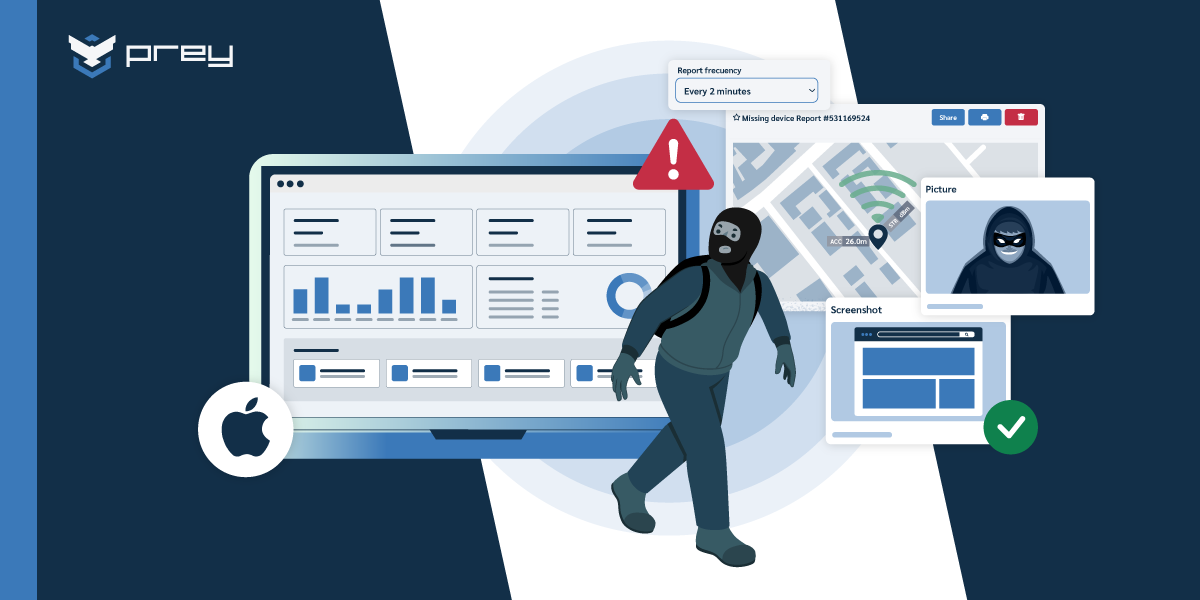
Evidence-grade capture. MDM location reports are good for inventory. They're not built for incident evidence. When a laptop is reported missing or behaving suspiciously, IT often needs more than a location ping: camera capture of the person at the keyboard, screenshot of the active session, login attempt log, audit trail with operator IDs. This is where persistent laptop trackers close the gap, packaging that evidence into a single recovery report for legal, insurance, and law enforcement.
The laptop tracker layer is also where automation lives. Geofences that trigger alerts when a laptop leaves an authorized zone. Idle-device alarms when a laptop hasn't checked in for a configurable period. Conditional actions that lock laptops automatically when they leave authorized zones or trigger other behavior rules. None of this exists in native tools, and most MDMs don't expose it.
Scenario: a healthcare CIO managing 600 laptops across hospital, clinic, and remote-worker contexts needs to prove for HIPAA audits that every laptop touching PHI is accounted for daily. The MDM shows enrollment status. The persistent laptop tracker shows the daily check-in log with location and encryption status per device. The audit-ready evidence comes from the second source, not the first.
If a tracked laptop does go missing, the persistent layer is also what makes the recovery handoff fast. The recovery playbook for a missing laptop covers the device-by-device incident-response sequence; from a laptop tracking perspective, what matters is that the tracker makes that playbook executable in minutes, not hours.
Quick win: Look at your last incident-response report or insurance claim. The fields that mattered (last-known location, timestamp, encryption status, user account state). Were they pulled from your MDM, or from somewhere else? If "somewhere else" includes screenshots, spreadsheets, or manual reconstruction, the persistent laptop tracker is the gap.
Learn how to choose the best laptop tracking software for your company fleet
Laptop tracker as a layer: how Prey works alongside MDM and native tools
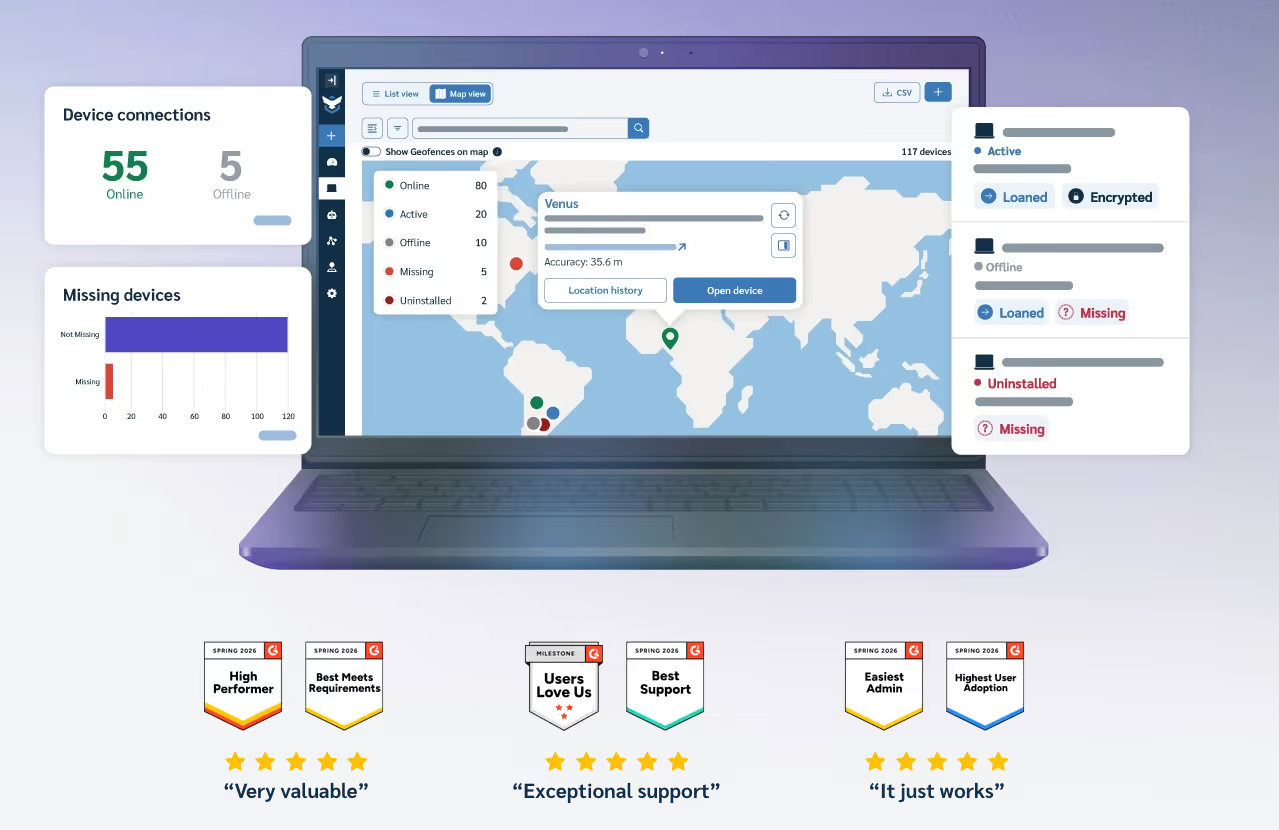
For IT teams already running Intune, Jamf, or another MDM, adding a dedicated laptop tracker is not a replacement decision. It's a layering decision. The MDM keeps doing enrollment, policy, and OS-level configuration. The laptop tracker runs in parallel and closes what MDM was never built to handle: real-time location, evidence capture, cross-OS consistency, and the recovery workflow.
Here's what that looks like with Prey. The Prey agent installs on each laptop, runs persistently across user sign-outs and account swaps, and reports to a separate dashboard. From there, IT sees every laptop on a map with last-check-in timestamps, pushes recovery actions against specific devices (lock, sound alarm, capture screenshot, take camera photo), enforces geofence rules, data protection capabilities (remote wipe, encrypt and factory reset) and pulls audit logs by date range. The dashboard works identically across Windows, macOS, Linux, Android, iOS, and ChromeOS. One console, one workflow, one set of reports.
When IT pushes any action, it's logged with operator ID and timestamp. That log is what compliance frameworks want when they audit the laptop tracking control: evidence, not assertion. The Recovery Report packages location history, screenshots, camera captures, and login attempts into a single PDF for legal, insurance, and law enforcement.
Scenario: a finance company runs Intune for Windows policy. An employee reports their work laptop stolen. Without a dedicated laptop tracker, the response is whatever Intune checks in. With Prey running alongside, IT also pulls last-known location, generates the Recovery Report, and locks the laptop with a custom return message before deciding whether to wipe. Intune did what MDM does. Prey did what MDM doesn't.
We have not found another geolocation product with the consistency and accuracy of Prey. - Ian A.
Learn more about Prey Laptop tracking capabilities
From location data to audit trail: what compliance frameworks expect
Compliance frameworks don't ask "do you track your laptops." They ask "can you prove it, in writing, with timestamps." That's the difference between laptop tracking and audit trail, and it's where most laptop tracking setups discover they have policy but no evidence.
HIPAA (healthcare). The Security Rule requires safeguards for PHI on portable devices, which auditors interpret as laptop-level visibility plus encryption status plus incident response evidence. A clean audit trail shows: laptop assigned to user, last-known location with timestamp, encryption status verified periodically, and any incident-response actions logged with operator IDs.
GDPR (EU and global). Article 32 requires appropriate technical and organizational measures for personal data protection. For laptops handling EU resident data, this translates to enforced encryption, ability to remote-wipe within the 72-hour breach notification window, and documented evidence of when laptops last had verified data protection.
ISO 27001. Annex A.8 (Asset Management) requires inventory and ownership tracking for all information assets. A.11 (Physical Security) covers device security including remote work. Auditors look for the laptop-to-asset-to-user mapping plus evidence that policies (encryption, laptop tracking, remote action capability) are actually enforced, not just documented.
SOC 2. Trust Service Criteria CC6 (Logical and Physical Access) and CC7 (System Operations) both touch laptop tracking. Auditors want to see that access logs include device context, that lost-laptop incidents have documented response timelines, and that the controls described in the SOC 2 report match what the tooling actually does.
The common thread: every framework wants evidence, not assertions. "We track our laptops" is an assertion. "Here is the daily location and encryption-status log for every laptop in our company, with operator-action audit trail, for the past 12 months" is evidence. The first sentence appears in the SOC 2 report. The second sentence is what auditors ask to see when they audit it.
The right laptop tracking setup produces this evidence automatically. Daily check-ins logged with timestamps. Operator actions (lock, locate, wipe) attributed to specific admin accounts. Geofence triggers and alarm responses recorded. Recovery reports packaged as PDFs. All of it queryable for any date range.
Quick win: Pick one laptop. Try to produce a 30-day report showing daily location, check-in status, encryption status, and any management actions, with timestamps and admin attribution. If you can't generate it in under 15 minutes, your audit trail is informal, which is usually fine until it isn't.
When a tracked laptop goes missing: the recovery handoff
Laptop tracking is preventive. That's the whole point: answer "where is every laptop right now" before anyone has to ask. But laptops do go missing , left in cabs, forgotten at hotel rooms, taken from cars. When a tracked laptop goes missing, the playbook changes from monitoring to incident response.
The handoff has three steps. First, the laptop tracker surfaces the anomaly through a geofence trigger, a missed check-in, or a user-reported loss. Second, IT runs the incident-response sequence: confirm the loss, identify what data and access were on the laptop, decide between lock-first and wipe-first based on data class. Third, the recovery escalation begins: police report, manufacturer registration, insurance claim, marketplace alerts.
The full playbook for the recovery side lives in a dedicated guide. The how-to-find-and-recover guide covers the laptop-by-laptop workflow, the lock-vs-wipe decision tree, and the police, manufacturer, and insurance escalation path. From a laptop tracking perspective, the relevant question is: how fast does your stack make that playbook executable?
If the laptop is on a persistent tracker, IT pushes lock plus evidence capture from the same console used for daily monitoring. The recovery report packages location, screenshots, and audit log into one PDF before any destructive action. If the laptop is only on MDM, the response is slower and the evidence package is thinner. Both work. The difference is time to action and evidence quality.
The other handoff that matters: dark-web credential monitoring. When a laptop is lost or stolen and there's any chance saved credentials end up exposed, the breach-monitoring layer surfaces it before the credentials are weaponized. For IT teams running laptop tracking, this is the layer that closes the loop between physical laptop loss and identity-level damage.
Scenario: an MSP managing laptop tracking for 5 client organizations gets a Slack message that a client's executive laptop disappeared from a hotel room overnight. From one multi-tenant console, the MSP locates the laptop's last-known position, locks it with a custom message, pulls camera and screenshot evidence, generates the recovery PDF, and hands it to the client's IT lead for the police report, all before lunch.
Quick win: Run a tabletop. Pick one laptop at random and walk through "this laptop just went missing, what does our team do in the first 30 minutes?" If anyone has to ask "where do I find the location?" or "do we even have lock-from-console?" the answer is your incident-response gap.
Final thoughts
Most IT teams discover the laptop tracking gap the day they need it filled. The auditor asks for a 90-day location log. The CIO asks for proof that lost laptops were wiped within compliance windows. The MSP client asks how many of their issued laptops have actually checked in this month. None of these are recovery questions. They're laptop tracking questions, and the answer depends on whether the foundation was built before anyone had to ask.
Laptop tracking isn't about finding a lost laptop. It's about answering "where is every laptop right now, and when did it last check in?" before someone has to ask. The right setup is unglamorous: MDM for the foundation, a persistent laptop tracker for the consistency, audit trail for the evidence, and a clear handoff to the recovery playbook when something does go missing.
Monday-morning action: pull the four numbers. Total laptops. Laptops that checked in this week. Laptops silent for more than 30 days. Laptops with verified encryption. If you can't generate those four numbers in under 10 minutes, the gap isn't in the laptops. It's in the laptop tracking layer that's supposed to know about them.
Frequently asked questions
Can a company laptop's location be tracked?
Yes, when the company has enrolled the laptop through MDM, installed a persistent laptop tracker, or enabled native location services via Group Policy. For corporate-issued laptops, tracking is generally lawful and disclosed in the employee acceptable use policy. Personal devices used for work (BYOD) follow different rules depending on jurisdiction.
Does Microsoft Intune track laptop location?
Yes, Intune reports a "last reported location" field per managed laptop, refreshed periodically (typically every several hours). It's useful for inventory and coarse-grained location tracking, but not real-time. For real-time or evidence-grade laptop tracking, most Intune shops layer a persistent laptop tracker such as Prey.
How accurate is laptop GPS?
Laptops rarely have true GPS hardware. Most laptop location tracking uses Wi-Fi triangulation, IP geolocation, and (for some MDMs) cell tower data on laptops with cellular modems. Practical accuracy is typically "right building" in urban areas and "right neighborhood" in rural ones. Indoor accuracy depends heavily on Wi-Fi density.
Does laptop tracking work when the laptop is offline?
Native tools and MDMs cannot track an offline laptop in real time, but they store the last-known location from before disconnect. Persistent laptop trackers resume reporting automatically when the laptop reconnects, even to a new network or under a new user account, which closes most of the offline gap.
Can my employer track my laptop location?
If the laptop is company-issued and disclosed in your employment agreement or acceptable use policy, yes. Most jurisdictions allow employer laptop tracking on corporate-owned devices used for work, particularly in remote and hybrid contexts. Personal devices used for work (BYOD) require explicit consent and have stricter privacy protections.
How do schools track student laptops?
K-12 and university 1:1 programs typically use a combination of MDM (Jamf School, Microsoft Intune for Education, Google Workspace for Education) plus a persistent laptop tracker for theft and loss recovery. Native tools alone don't survive student sign-outs or laptop reassignment between semesters.
What's the best way to track company laptops?
Centralized, always-on tracking through a single agent that reports each laptop's location continuously, not one-off OS tools you check device by device. For a fleet you want one dashboard, full location history, and alerts when a device leaves a known zone.
Can you track a laptop that's powered off or offline?
Not live, no tool can report location while a device is off or off-network. What you get is the last-known check-in location and full history, and the laptop reports its position again the moment it reconnects.
Can you track a laptop without GPS?
Yes. Most laptops have no GPS chip. Location comes from Wi-Fi triangulation, nearby networks, and IP, which is why a software tracker can locate a laptop even though the hardware has no GPS.
How do you track a Windows laptop's location with built-in tools?
Windows has a native Find My Device feature, but it's limited. Turn it on under Settings > Privacy & security > Find my device while signed into a Microsoft account, and you can see the laptop's last known location at account.microsoft.com/devices. It only works if the feature was on beforehand, the laptop is online, and no one has signed out or reset it, and it shows a single last-known point, not live movement. For a company fleet you'll outgrow it fast: an IT-managed tool like Prey adds always-on location, history, and remote lock or wipe across every Windows laptop from one dashboard.
Why is tracking a fleet of Windows laptops different from tracking one?
One laptop is a lookup; a fleet is a system. For a single device, a native tool and a Microsoft account are enough. For dozens or hundreds, you need enrollment that scales, groups and tags to organize devices by team or site, mass actions to lock or wipe many at once, and a single dashboard so you're not signing into a separate account per laptop. You also need location history and an audit trail for compliance, which native tools don't keep. Prey is built for the fleet case: every Windows laptop, alongside Mac and Linux, tracked, grouped, and recoverable from one place.
Track every laptop, every day
Prey gives IT teams one dashboard for laptop tracking, location monitoring, evidence capture, and remote action across Windows, macOS, Linux, Android, iOS, and ChromeOS. The layer that consolidates laptop tracking into a single audit-ready view.