Ask an IT team how many laptops the company owns and you will get a number. Ask how many of those are encrypted, who is holding each one, and which have not checked in this quarter, and the number starts to move.
That gap is where IT asset management actually lives. Not in the spreadsheet, but in the distance between what the spreadsheet claims and what is true on the ground. Most teams have the count solved. Far fewer can defend it in front of an auditor, and fewer still can act on it the week a device goes missing.
An IT asset management strategy is the set of decisions that keeps that distance small enough to survive an audit, an offboarding, and a lost laptop in the same month. This guide covers what belongs in that strategy, how to build it in seven steps, and which records separate an inventory you can act on from a list you hope is right.
What is IT asset management?
IT asset management (ITAM) is the practice of tracking and governing every IT asset an organization owns across its full lifecycle, from purchase through deployment, maintenance, and disposal. ITIL 4 defines the purpose of the practice as maximizing value, controlling costs, managing risk, and supporting decisions about purchase, reuse, retirement, and disposal.
An IT asset is anything the organization owns or licenses that carries operational or data risk.
- End-user hardware: laptops, desktops, monitors, smartphones, and tablets.
- Network and infrastructure: routers, switches, access points, and servers.
- Software: on-premise applications and the licenses attached to them.
- Cloud and SaaS: subscriptions and services that never arrive on a loading dock.
- Peripherals in scope: anything carrying data or a license cost, which is where most scope arguments start.
The definition is the easy part. The harder truth is that ITAM is a data discipline wearing an inventory costume. Every question an IT manager gets in a bad week reduces to one thing: is the record right? When the CFO asks why the company pays for 340 laptop licenses against 290 employees, when an auditor asks for encryption status across the fleet, when HR asks whether Friday's departure returned their machine, all three are asking whether your data can be trusted.
Why do most ITAM strategies stall before they start?
Because they skip the foundation the standard puts first. ISO/IEC 19770-1:2017, the international standard for IT asset management systems, sequences implementation into three tiers in a deliberate order: Trustworthy Data, then Lifecycle Integration, then Optimization. Tier 1 is not tooling. It is whether your records are believable.
That ordering is the most useful thing the standard gives a lean IT team, and it is the part most ITAM advice skips. The 19770-1 framework defines 27 process areas and is explicitly tiered, so organizations of different sizes can adopt it progressively. It was also designed to be implemented alongside ISO/IEC 27001. That is why ITAM and security reviews keep landing on the same desk.
- Tier 1 — Trustworthy Data: your records match reality. Every tier above depends on this one.
- Tier 2 — Lifecycle Integration: asset states update as part of your operational processes, not as a separate chore.
- Tier 3 — Optimization: cost, license, and refresh decisions driven by data you already trust.
The practical translation: if you buy an ITAM platform before your data is trustworthy, you have automated a bad inventory. It will produce reports faster and they will still be wrong. One network administrator running a mixed Apple and Windows fleet put the real need plainly in a G2 review: "the ability to locate IT assets in a multi-platform environment." Not another dashboard summarizing records nobody had verified.
This is also where the line between ITAM and asset discovery matters. Discovery tells you what is connected to the network right now. ITAM tells you what you own, including the laptop powered off in a drawer and the one assigned to a remote employee who has not connected in six weeks. Discovery feeds trustworthy data. It does not replace it.
What should an IT asset management strategy include?
Six components, and anything beyond them is refinement. A defined asset scope, the record fields you commit to maintaining, a named owner for the data, an acquisition-to-disposal policy, a reconciliation cadence, and the evidence you need to produce when someone audits you.
Notice what is not on the list: a tool. Tooling implements a strategy, it does not constitute one. The most common failure in small and mid-sized IT teams is a platform bought in Q1 and abandoned by Q3, because nobody decided who owned the data or how often it would be reconciled.
The person who inherits an ITAM program usually inherits a spreadsheet instead. It is accurate the day it was built and decays quietly from there, until an event forces a reckoning. The strategy exists to make that decay visible and bounded rather than invisible and total. If you are still working from a shared file, the practical path is covered in our guide to simplifying software inventory.
How to build an IT asset management strategy in seven steps
The sequence below moves from scope to reconciliation. It is ordered to reach trustworthy data on a narrow slice of the fleet before widening, which is the opposite of how most programs start and the reason most of them stall.
1. Define a scope you can actually defend
Scope beats completeness. Pick one asset class you can enumerate end to end and finish it before adding the next. For most organizations that is company-issued laptops, because they carry the most data risk and travel furthest from the office.
Resist the instinct to define scope as "all IT assets." Programs that open that wide spend their first quarter arguing about whether monitors count, and never reach trustworthy data on the assets that matter.
2. Set goals someone will be measured on
Goals that belong to everyone belong to nobody. Tie each objective to a person and a number: reduce unaccounted devices below 2% of the fleet by the end of Q3, or produce encryption status for every laptop within one business day of an audit request.
That second formulation matters more than it looks. "Improve security" cannot be reported on. "Produce encryption status within one business day" can, and it tells you exactly which capability you are missing the day you fail it.
3. Establish your baseline honestly
Before improving anything, find out how wrong you currently are. Take your existing list, sample twenty rows at random, and verify each against reality. Whatever percentage you cannot confirm is your actual starting point, and it is usually worse than the team expects.
This step is uncomfortable by design. A baseline that flatters you is not a baseline. Document the failure rate, because it is the number that justifies the program's budget six months from now.
4. Choose tooling that matches your tier
At Tier 1 you need something that keeps records current without human data entry, because manual maintenance is what broke the last inventory. Prioritize automatic check-ins, multi-OS coverage that matches your real fleet, and the ability to export evidence rather than just view it on screen.
Deprioritize what sells demos and serves maturity you do not have yet. Cost-optimization modeling, contract management, and procurement workflow are Tier 3 problems. Buying for Tier 3 from Tier 1 is the expensive version of this mistake.
5. Write policies for the handoffs, not the ideal
Asset records break at transitions: onboarding, role changes, hardware refresh, offboarding, and repair. Your policy should say what happens to the record at each of those moments, and who updates it.
Most ITAM policies describe a steady state that never occurs. "Assets shall be tracked throughout their lifecycle" gives a technician nothing to do on the Tuesday someone quits. "IT marks the asset as pending return the same day HR files the departure" does.
6. Train the people who touch the records
The people updating asset data are rarely the people who designed the process. A technician running three onboardings in a morning will skip the slowest field to fill unless they know what breaks downstream when it is empty.
Keep training concrete and short. Show one real device that could not be located because the assignment field was blank. That lands harder than a policy walkthrough.
7. Reconcile, review, and expand
Set a reconciliation cadence and treat it as a commitment rather than an aspiration. Full reconciliation once or twice a year, continuous automated check-ins in between, and an event-triggered check at every departure and hardware refresh.
Only once that loop runs should you widen scope to the next asset class. A strategy that covers laptops accurately is worth more than one covering everything approximately.
Quick win: Add a required assignment-date field to your asset records before the next reconciliation. It is the cheapest field to add, and the one that turns "we own this laptop" into "Marcela in Finance has had this laptop since March."
Which fields make an asset record trustworthy?
A record is trustworthy when it answers the questions people actually bring you. Most inventories fail not because they are missing assets, but because they are missing the fields that make an asset actionable. These five carry most of the weight.
If a field does not answer a question someone actually asks you, it is decoration. Purchase price, vendor contact, and warranty expiry all earn their place in a mature program. None of them help on the afternoon a laptop goes missing.
How do you stop your inventory from drifting?
Inventory drift is the gap that opens between records and reality between reconciliations. It is caused less by bad data entry than by transitions nobody wired into the process, and the largest single source is offboarding, where the device is the one asset with no clear owner.
The sequence is familiar. Someone leaves. HR processes the departure, the identity provider revokes access, and the accounts close cleanly. The laptop is a separate question, owned by nobody in particular, so it stays open. Weeks later a reconciliation surfaces a device assigned to someone who no longer works there, and the trail is cold.
The pattern shows up constantly in how IT teams describe their own fleets. One network administrator summarized it in a G2 review as having "an issue with tracking assets, and sometimes devices being stolen or not returned when an employee leaves." That is drift and data risk arriving as the same event, which is why the fix has to be procedural and not only technical. It is also why remote wipe belongs in the offboarding runbook rather than the incident response plan.
Three transitions deserve an explicit asset check. Skip that and your inventory stays inflated for years.
- Departures: the largest single source of drift, because the device is the one asset with no clear owner in the offboarding flow.
- Hardware refreshes: the forgotten one. A fleet-wide replacement creates a matching wave of old devices to wipe, mark for disposal, and remove from the active count.
- Storage periods: a device nobody is assigned to is a device nobody notices is missing.
Devices that leave and are supposed to return deserve their own treatment. Loaner laptops, field equipment, and student devices drift faster than assigned ones, because the return is the only checkpoint and the return is exactly what fails. If lending is a meaningful part of your operation, the K-12 device lifecycle model is the most developed version of this problem and translates well outside education.
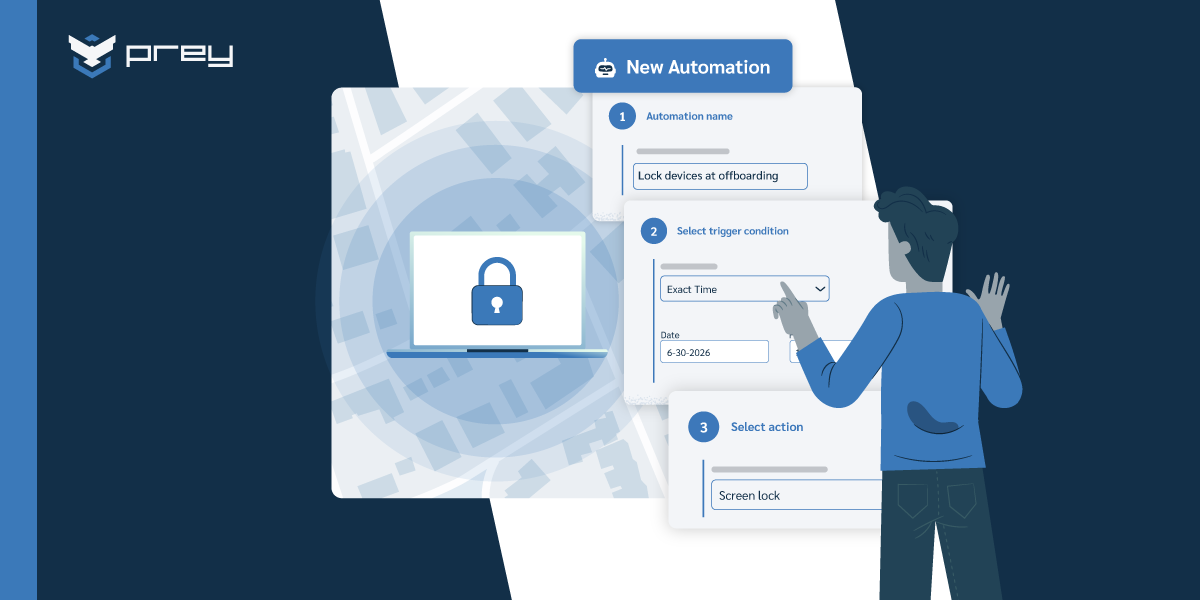
Quick win: Add one line to your offboarding checklist requiring IT to mark the asset as pending return the same day HR files the departure. It costs nothing and closes the most expensive gap in most inventories.
ITAM best practices that survive a real fleet
Most best-practice lists are written for organizations with a dedicated asset manager. These hold up when ITAM is a third of somebody's job.
- Start with critical assets, not with everything. Get devices carrying regulated or sensitive data under real management first, then work outward. A partial inventory you trust beats a complete one you do not.
- Measure detection time, not just asset count. Assets under management is a vanity metric after month two. The number that predicts incident cost is how long it takes to notice a device has gone dark, because that window is when an unencrypted laptop becomes a disclosure.
- Automate collection, keep decisions human. Manual inventory maintenance fails at any fleet size above one person's memory. Automate the check-ins and state changes. Keep disposal approvals and scope decisions with a person.
- Consolidate before you integrate. Separate tools for inventory, location, encryption status, and disposal create four sources of truth that disagree. Fewer systems covering more of the lifecycle beat a well-integrated sprawl.
- Make evidence a design requirement. Decide up front what an auditor will ask for and confirm your system can export it. Discovering mid-audit that your platform displays encryption status but cannot produce a timestamped report is a bad afternoon. Our guide on IT asset visibility covers what that evidence layer looks like in practice.
Quick win: Pick your three most sensitive device groups and confirm you can export their current encryption status today. If you cannot, that is your Tier 1 gap in one sentence.
Where device security fits into your ITAM strategy
Trustworthy data has one requirement that policy alone cannot meet: the record has to update from the device itself, not from a form someone remembered to fill in after the fact. That single constraint is where IT asset management and endpoint security stop being separate projects and start being the same one.
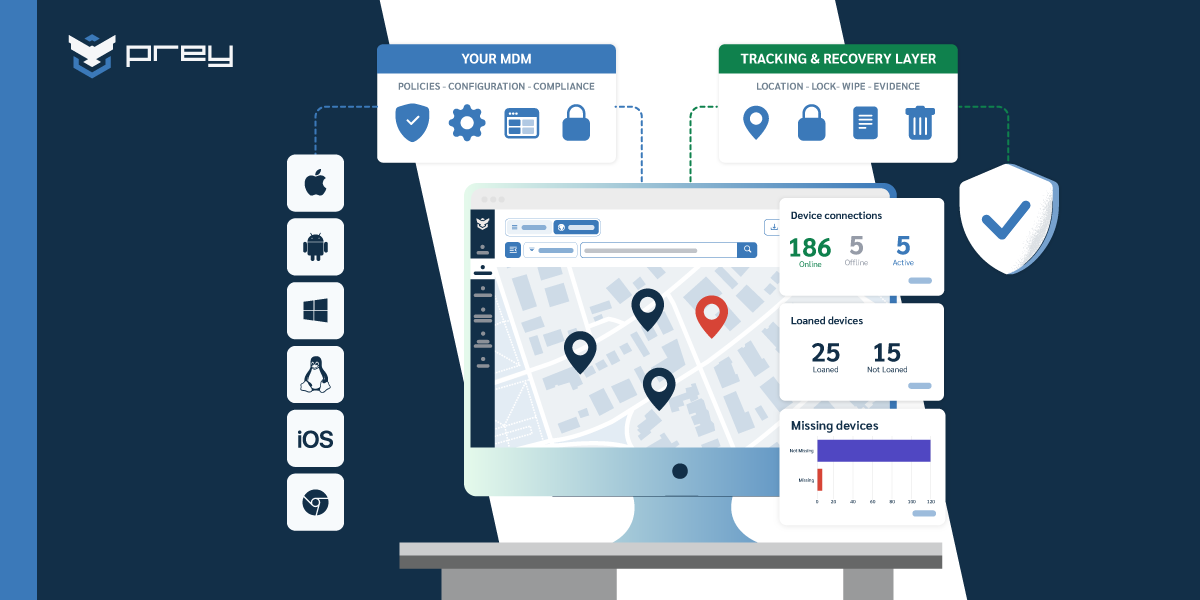
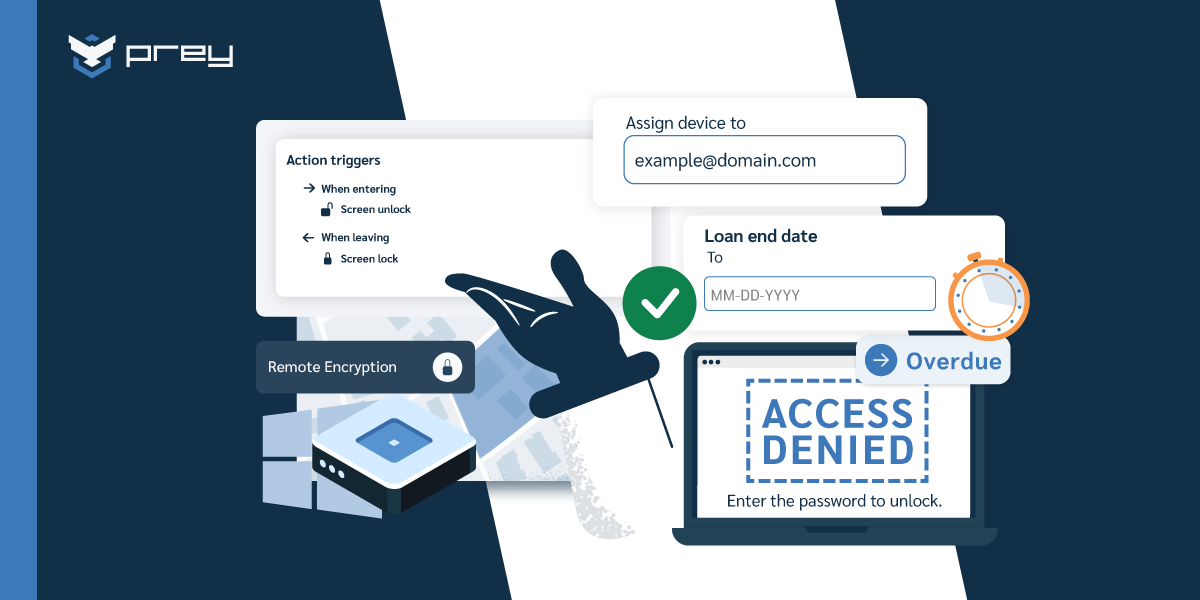
Prey is a device security and management platform built around that overlap. It maintains hardware and software inventory that refreshes from the endpoint itself, always-on location so a missing laptop has a last known position rather than just a last known owner, and remote lock and wipe for the point where a device stops being recoverable. Encryption status can be verified and enforced remotely across Windows, macOS, Linux, Android, iOS, and Chromebook, which matters because mixed fleets are where single-OS tooling leaves gaps. For devices meant to come back, loan tracking closes the checkpoint offboarding usually misses.
It is not a full ITAM suite and does not replace procurement or contract management. It covers the operational half: where the device is, what state it is in, and what you can do about it from where you are sitting. A verified government administration reviewer described that scope directly, noting that "in terms of inventory management and security, it meets all the necessary requirements without complications." Prey holds 4.7 out of 5 on G2 as of 2026.
If your fleet spans several operating systems and your current tooling only covers one well, the MDM options for smaller IT teams comparison is a useful next read.
Frequently asked questions
How do you implement an ITAM program from scratch?
Start with a single asset class you can fully enumerate, usually company-issued laptops. Build the record fields you need to answer real questions (owner, serial, assignment date, encryption status, last check-in), reconcile that list against your identity provider and your purchase records, then expand to the next class. Implementing every asset type at once is the most common reason ITAM programs stall in month three.
What is the difference between IT asset management and asset discovery?
Asset discovery finds what is connected to your network right now. IT asset management tracks what your organization owns across its full lifecycle, including devices that are powered off, in storage, or assigned to a remote employee who has not connected in six weeks. Discovery is an input to ITAM, not a replacement for it.
Which asset management concept tracks who is responsible for a company-issued laptop?
Asset assignment, sometimes called custody or asset ownership, is the record that links a specific device to a specific person and the date they received it. Without an assignment field, an inventory can tell you a laptop exists but not who to contact when it stops checking in or who failed to return it at offboarding.
What should an IT asset management plan include?
At minimum: a defined asset scope, the record fields you will maintain per asset, a named owner for the data, an acquisition-to-disposal policy, a reconciliation cadence, and the specific evidence you need to produce for audits. A plan without a reconciliation cadence becomes a stale spreadsheet within one quarter.
How does continuous discovery improve IT asset management?
Continuous discovery shortens the gap between an asset changing state and your records reflecting it. A quarterly manual audit means a device can be lost, unencrypted, or unaccounted for up to 90 days before anyone notices. Continuous check-ins turn that detection window from months into hours.
How often should you audit your IT asset inventory?
Full reconciliation once or twice a year, with continuous automated check-ins in between and an event-triggered check at every onboarding, offboarding, and hardware refresh. The audit cadence matters less than whether offboarding is wired into it, because that is where most inventory drift originates.
Getting to trustworthy data
An IT asset management strategy is not a list of assets. It is a commitment to keeping the distance between your records and reality small enough to act on. ISO/IEC 19770-1 puts trustworthy data first for a reason, and every tier above it depends on getting that one right.
The starting move is small and slightly unpleasant. Open your asset list, pick a row at random, and answer three questions: who has this device, is it encrypted, and when did it last report in. Do that five times. The answers you cannot produce are your strategy's first draft.
If the gap you find is about knowing where devices are and what state they are in, that is the layer Prey covers. Get a demo and see what your fleet reports back on its own.