Small business MDM in 2026: the short version
- It's not enterprise UEM: Four controls matter for an SMB — track, lock, wipe, prove. Anything more is overhead a lean team can't afford.
- Prey — best all-around: Mixed-OS, remote teams, from $1.30/device/mo. Linux + Chromebook included. Setup typically under an hour. Theft response + Breach Monitoring built in.
- Iru (formerly Kandji): Premium Apple-only. Worth the price if your fleet is 100% macOS and iOS.
- Miradore free tier: Works only if your team never leaves the office and you have under 25 devices. You'll outgrow it.
- NinjaOne / Hexnode: More powerful, heavier, pricier. Justified for MSPs (NinjaOne) or compliance-heavy orgs (Hexnode). Overkill otherwise.
Your top sales rep resigns on a Friday afternoon. By Sunday, their company MacBook is still pinging from a café in another city. By Wednesday, it's offline. You have no idea where it is, what's on it, or whether the customer database synced before they handed in their notice.
This is what small business mobile device management actually solves. Not policies in a binder. Operational control over the laptops, phones, and tablets your team carries out of the office every day. The kind of control where you can answer "where is device X right now?" without asking the person who has it.
Most lean IT teams don't need an enterprise UEM platform with a deployment timeline measured in quarters. They need a tool that handles four things well: knowing where devices are, locking them when they shouldn't be open, wiping them when something goes wrong, and proving to an auditor that those controls actually exist. The challenge is picking from a market that ranges from affordable SMB tools to enterprise platforms that quote you a six-month rollout before they quote you a price.
This guide compares the five MDM solutions actually built for small business reality: Prey, Iru (formerly Kandji), Hexnode, Miradore, and NinjaOne. Real pricing where vendors publish it. Real setup time. What each tool quietly fails at on a Tuesday when something goes wrong.
The deciding question, as you read: the MDM you can deploy on Friday afternoon and have proving compliance by Monday morning is the only one a 5-person IT team can afford to choose. Everything else looks fine in a demo and falls apart in real operations.
What small business MDM actually needs to do
Small business MDM (mobile device management) is software that lets a lean IT team, often one person, track, secure, and remotely control company laptops, phones, and tablets from one dashboard. Unlike enterprise UEM platforms built for thousands of devices and dedicated security teams, small business mobile device management prioritizes fast deployment, cross-platform support, and the controls that actually matter day to day: always-on location, remote lock, remote wipe, and policy enforcement. Most SMBs deploy in under an hour and recover their first lost device within a quarter.
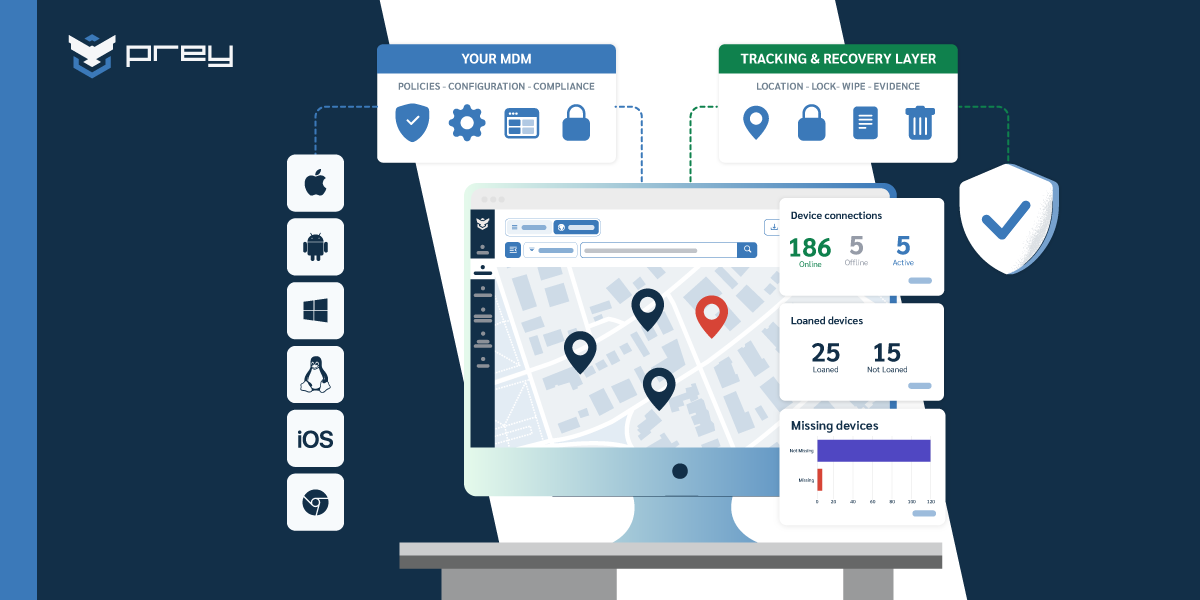
If you strip away the marketing surface area, every MDM evaluation comes down to four controls a small business needs to run reliably:
- Know where a device is, right now. Not "last week's location" or "best guess based on Wi-Fi." Always-on location means a live coordinate you can act on while the device is still moving.
- Lock or wipe on demand. From the dashboard, in seconds, with confirmation that the command landed. Bonus points for full factory reset on Windows, which most SMB-focused tools cannot do.
- Enforce baseline policy without a help desk ticket. Encryption on by default, screen lock after 5 minutes, OS updates within 30 days of release. Set once, audit anytime.
- Produce evidence on request. When an auditor asks "show me encryption status for every device that touched patient data in the last 6 months," the answer is a one-click export, not two weeks of spreadsheet chasing.
Tools that handle these four well make a lean IT team feel like they have backup. Tools that handle them poorly turn every Friday evening into a paging incident.
Quick win: Today, list every device under your responsibility. Note the last time each one checked in to anything you control. Any device silent for 30+ days is a blind spot your incident response plan doesn't currently account for.
The 4 things that break for SMB IT teams without MDM
Most small businesses don't realize they have an MDM problem until something specific breaks. The pattern is consistent. These are the four failure modes that show up in conversations with IT teams running 20-200 devices.
Lost device, no recovery path. A laptop leaves a conference. A phone disappears at an airport. Without an MDM, you have a hardware loss claim, a data-exposure question with no answer, and a quiet hope that the device wasn't logged into anything important. With an MDM, you have a live location, a remote lock that activates within seconds, and an audit trail that says exactly when the device went dark.
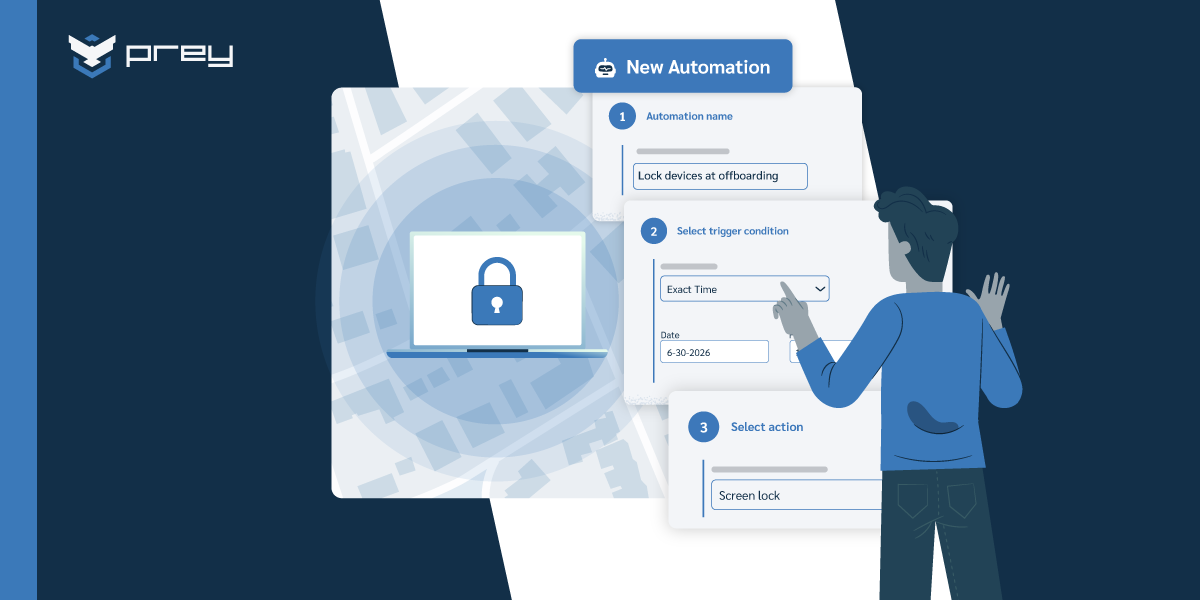
Offboarding becomes a security event instead of a process. An employee resigns. Their laptop is somewhere. Their email is still active for the next three days for handover. Without a remote wipe capability you can trigger on demand, the offboarding window is also an exposure window. The longer that window is open, the more time a former employee has to copy files, log into a shared drive, or simply forget to return the device at all.
Mixed-OS fleets become invisible. Most SMBs run 60-70% Windows, 20-30% macOS, and somewhere between 5-15% Linux or Chromebook. Enterprise MDMs assume the first two and ignore the rest. Apple-only tools cover one slice and leave the others without policy enforcement. The result is partial visibility, which is worse than no visibility because it creates a false sense of coverage.
Audit week reveals you have no evidence. A 25-employee medical billing company gets a HIPAA audit notice on Tuesday. The auditor wants encryption status, last patch date, and remote-wipe capability evidence for every device that touched patient data in the last 6 months. The company with no MDM spends two weeks chasing employees on Slack and submitting half-incomplete spreadsheets. The company running an MDM exports the report in 30 seconds and ends the audit by Wednesday lunchtime.
Quick win: Run a tabletop exercise this week. Walk a colleague through the scenario "one laptop is stolen at an airport." Time how long it takes to locate it, lock it, and produce an incident timeline. If the answer is "it depends," that's the gap.
Prey: best all-around small business MDM
If your fleet is mixed-OS, your team works remotely or in the field, and you need real device tracking (not a checkbox labeled "location enabled" that points to a city block), Prey is the strongest all-around option for most small businesses.
The reason we list it first isn't because we built it. It's because for the majority of SMBs reading this guide, Prey's feature set lands in the right place: enough security to actually protect you, simple enough that a lean IT team can run it without a dedicated specialist.
Here's where Prey covers ground others don't:
- Always-on GPS tracking with Wi-Fi triangulation. Devices check in instantly, not on a polling schedule measured in hours. When a laptop leaves the office, you know inside a minute.
- Full cross-platform support for Windows, macOS, Linux, Android, iOS, and Chromebooks. One dashboard, no separate console for the Linux machines your dev team insists on.
- Remote wipe and full factory reset on Windows. A rare capability among SMB-focused tools. When a device cannot be recovered, the data goes with the OS.
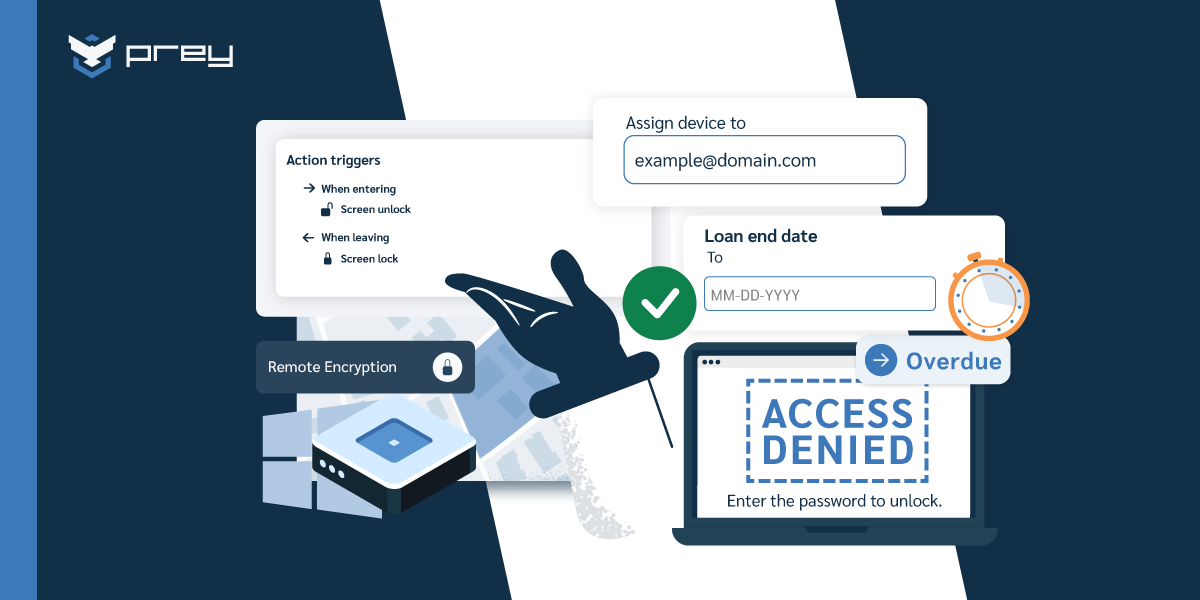
- Geofencing and policy automations through Control Zones. Set a perimeter around your office, get alerted when a device leaves, trigger an automated lock if it doesn't return.
- Breach Monitoring. Dark web scanning for leaked corporate credentials, with severity scoring. Most SMB MDMs don't cover this category at all.
- Theft response toolkit. Remote alarm, covert camera capture, screenshot, and lock screen with contact info. When a device goes missing, you have a toolkit, not a hope.
- Fast setup, typically under an hour. Most teams have their first managed devices running before lunch. No professional services engagement, no quote-only pricing.
In one real SMB deployment we've seen, a consulting firm installed Prey on a Friday afternoon for 40 devices, set Control Zones around their two offices over the weekend, and had the first recovery alert (a contractor's laptop pinging from an unexpected address) by Monday morning. That sequence is what "Friday to Monday" actually looks like.
Verified G2 reviews echo the pattern:
Tim P. - Owner
Small-Business (50 or fewer emp.)
"Set it and forget it device security"
Brian L. - IT Manager
Mid-Market (51-1000 emp.)
"Prey works for my company!"
The reviews repeat the same three things: easy to deploy, reliable when something goes wrong, real human support when you need it.
Iru, NinjaOne, Hexnode, Miradore: the alternatives
Each of the alternatives shines in a specific scenario. None covers the full ground Prey does for a generalist SMB, but each is the right call if your environment matches their strength.
Iru (formerly Kandji)
The deepest Apple management platform available. Zero-touch deployment, deep compliance automation, polished interface, regular feature releases. With the October 2025 rebrand from Kandji, Iru also added Windows and Android management and expanded into EDR and vulnerability management, so it is no longer Apple-only. Its Apple depth is still where the product is strongest, and if your fleet is mostly macOS and iOS, common in design studios, video production, and certain consultancies, that depth is worth the premium price point.
Skip if: you need Linux or Chromebook coverage, or you want a focused device security tool rather than a full endpoint suite. The cross-platform support is newer than the Apple side, and the pricing assumes you will use the wider platform.
Best if: Apple-first fleet, 30+ devices, you value deployment automation and a broad security suite over price.
NinjaOne
NinjaOne combines MDM with full RMM (remote monitoring and management) capabilities: patch management, remote desktop, automation, integrated backups. It's the right tool if you're an MSP managing multiple clients or if your IT operation needs deep remote support capability beyond device security.
Skip if: you don't need remote desktop or patch management as a daily workflow. You'll pay for capability you won't use, and the complexity slows down what should be simple security tasks.
Best if: MSP operation, or in-house IT team that also handles help desk and patch cadence for the same fleet.
Hexnode
Hexnode is a robust UEM with strong policy controls, kiosk mode, and compliance management. It fits businesses in regulated industries (healthcare, retail, finance) that need granular policy enforcement and reporting depth. The trade-off is complexity: deployment takes weeks, the interface has a learning curve, and the full feature set requires a higher pricing tier.
Skip if: you're under 50 devices and not facing kiosk-mode or strict compliance requirements. Hexnode is built for environments where policy depth justifies the operational overhead.
Best if: compliance-heavy industry, retail/kiosk deployments, 100+ devices.
Miradore
Miradore is the budget-friendly entry point. Simple interface, basic MDM features, and a free tier covering up to 25 devices. It works for SMBs whose teams stay in one location, devices rarely leave the building, and the threat model is mostly "make sure laptops have encryption on."
Skip if: your team is remote, mobile, or in the field. Miradore's location tracking is basic, geofencing is limited, and the theft response toolkit isn't there.
Best if: under 25 devices, fully on-site team, no compliance or recovery requirements beyond the baseline.
Quick win: Match your fleet profile to one of these four in 60 seconds. If none fits cleanly, that's the signal Prey's generalist coverage is probably the right call.
MDM for small business: side-by-side comparison
The fastest way to disqualify tools is a feature-by-feature pass. Here is the comparison most SMB buyers actually need (full pricing details on each vendor's site; figures below reflect what each vendor publishes openly).
| MDM Solution | Platforms | Pricing Tier | Setup Time | Standout Feature | Best For |
|---|---|---|---|---|---|
| Prey | Windows, macOS, Linux, Android, iOS, Chromebook | From $1.30/device/mo | Typically under 1 hour | GPS tracking, theft response toolkit, Breach Monitoring | Mixed-OS, remote/hybrid SMB teams |
| NinjaOne | Windows, macOS | Premium (quote) | Days to weeks | RMM + patch management + remote desktop | MSPs and IT teams needing remote support tools |
| Iru (Kandji) | macOS, iOS, Windows, Android | Premium | Hours to days | Zero-touch deployment, automated remediation | Apple-first fleets, design/creative shops |
| Miradore | Windows, macOS, Android, iOS (no Linux) | Free up to 25 devices, then paid tiers | Hours | Free tier with basic MDM | Under 25 devices, on-site teams |
| Hexnode | Windows, macOS, Android, iOS (multi-OS) | $2.20–$5.40/device/mo | Days to weeks | Granular policy controls, kiosk mode | Policy-heavy orgs, retail, compliance-heavy industries |
The pattern this table makes obvious: Prey and Miradore are the affordable entry points, and the difference between them shows up at the edges of normal operations. NinjaOne and Hexnode are heavier tools that justify their cost only in specific scenarios (MSP workflows for NinjaOne, regulated industries for Hexnode). Iru is the premium Apple-only choice.
If you're starting from "I need to evaluate MDM for small business in 2026, what should be on my shortlist?", the honest answer is two: Prey for the generalist case, plus one of the others if you have a specific scenario (all-Apple, MSP, compliance-heavy) the generalist doesn't address.
Quick win: Use the comparison to disqualify in 5 minutes. Then run trials on the two that survived. Most SMB buyers waste weeks evaluating tools that should have been ruled out in the first read of the table.
Prey vs Miradore: the budget decision most SMBs face
After running through the full list, two options consistently rise to the top for SMBs that don't have a specialist scenario: Prey and Miradore. Both are affordable, easy to deploy, and cover the core MDM features an SMB actually needs. On paper, the choice looks straightforward. In operations, they solve different problems.
Miradore is designed for fleets that stay in one place. Prey is designed for the ones that don't. That distinction doesn't show up in a feature checklist. It shows up on the Tuesday something goes wrong.
A laptop doesn't come back after an offboarding. A device gets left at an airport café. A phone disappears at a conference. With Miradore, you get a last-known network location and a long wait. With Prey, you trigger an always-on GPS trace, lock the device, capture a photo from the front camera of whoever's holding it, and execute a full factory reset if recovery fails. All from the same dashboard, in the same workflow.
One IT consultant used that exact sequence twice with the same client. A former employee who claimed he'd returned a company laptop in his exit interview was geolocated to his home address, with timestamped photos of him using the device. The laptop was back at the office within the hour. The consultant has now recommended Prey to every small business client he supports because that one sequence pays for the tool for years.
That story is what the comparison table is actually describing. Not features, but what happens when something goes wrong and the difference matters.
If your entire fleet sits in one office and your team is fully on-site, Miradore's free tier is a legitimate starting point. The moment anyone on your team works remotely, travels, or operates in the field, Prey is the stronger call.
Quick win: Audit your team's location data this week. If more than 20% of your devices spend regular time outside the office, the operational case for Prey over Miradore is already made.
Which small business MDM is right for you?
No single tool fits every SMB. The deciding factor is your fleet profile, not the feature checklist. Match yours below:
Fewer than 100 devices, remote or hybrid team → Prey
Cross-platform support including Linux, always-on GPS tracking, geofencing, and a theft response toolkit that works when devices leave the office. Setup typically under an hour, no IT specialist required, transparent pricing.
Apple-first fleet with deep automation needs → Iru (formerly Kandji)
The strongest dedicated Apple management option. Worth the premium price if every device is macOS or iOS.
MSP or in-house team handling patch management → NinjaOne
More complex and more expensive, but the right fit if RMM, patch cadence, and multi-tenant management are core to your workflow. For an MSP managing multiple client fleets, that trade-off usually pays for itself.
Compliance-heavy, retail or kiosk requirements → Hexnode
Granular policy controls and strong kiosk mode. Overkill for most SMBs, but the right call for regulated industries and retail or kiosk deployments.
Under 25 devices, fully on-site team → Miradore free tier
If you're not managing remote workers and don't need location tracking, the free plan is a reasonable starting point. You'll outgrow it as the team grows or starts traveling.
One real example of how this plays out: a field service company with 30 technicians and a constant rotation of tablets in vans. A Surface tablet went missing after a service call. The IT manager triggered a remote lock, dropped a geofence around the airport where the route ended that day, and waited. The next morning the café manager near the boarding gate found the tablet, called the email on the lock screen, and shipped it back. Without that lock screen and contact information, the device would have been on a marketplace by the weekend.
Quick win: Match your fleet profile to the recommendation above. Start the trial today on three test devices. Most decisions become obvious within the first week of real operations.
The honest take
Most small business MDM comparisons sell you a feature checklist and call it analysis. The reality is that an MDM either makes your IT operation simpler or it doesn't, and that difference shows up the first time something goes wrong, not in the sales demo.
For most small businesses with any remote or field component, Prey covers the security stack you actually need without the deployment complexity that kills MDM rollouts in lean IT teams. Always-on device tracking, theft response, remote wipe, and breach monitoring in one dashboard, at SMB pricing.
The deciding test from the start of this guide holds up: the MDM you can deploy on Friday afternoon and have proving compliance by Monday morning is the only one a 5-person IT team can afford to choose. Everything else looks fine in a demo and falls apart on the Tuesday a laptop goes missing.
The fastest way to know if Prey fits your fleet: spin up the trial on three real devices and put one through a real test. Set a geofence, trigger a remote lock, run a recovery report. You'll know inside 20 minutes whether it works for your team.
Frequently asked questions
Is Prey a good MDM for small businesses?
Yes. Prey is built specifically for teams that need real device security without a dedicated IT specialist. It supports Windows, macOS, Linux, Android, iOS, and Chromebooks from one dashboard, includes always-on GPS tracking, remote wipe, geofencing, and Breach Monitoring, and is priced for SMB budgets. Most teams are fully set up in under an hour.
How much does small business MDM cost in 2026?
Most small business MDM tools price per device, between roughly $1.30 and $5 per device per month at the SMB tier. Free tiers exist (Miradore covers up to 25 devices) but typically lack location tracking, breach monitoring, and remote factory reset. Premium UEM platforms (Hexnode, NinjaOne) start at $4-7 per device per month and require deployment-services budget on top. Setup time matters more than headline price: a $2/month tool that takes a week to deploy costs more in IT time than a $4/month tool that's running in an hour.
How does Prey compare to Miradore for small businesses?
Both are affordable and easy to use, but they cover different ground. Miradore offers a free tier for basic device management when fleets stay in one place. Prey adds always-on GPS tracking, Linux support, geofencing automations, remote Windows factory reset, and dark web credential monitoring. If your team is remote, mobile, or operates in the field, Prey is the stronger choice. If your team is fully on-site and under 25 devices, Miradore's free tier is a legitimate starting point.
What's the best MDM for a team with fewer than 50 devices?
Prey is built for small fleets. It doesn't charge enterprise rates for small teams, deploys in under an hour for most teams, and the 14-day trial (extendable to 30) lets you test it on real devices before committing. For pure Apple fleets under 50 devices, Iru is the alternative. For under 25 devices that never leave the office, Miradore's free tier is workable.
Does Prey work on Windows, Mac, Linux, Android, and iOS?
Yes. Prey supports Windows, macOS, Linux (including Ubuntu), Android, iOS, and Chromebooks. All managed from a single web dashboard. Linux support is rare among SMB-focused MDMs and matters if any part of your team runs Ubuntu workstations or Linux servers as endpoints.
What happens if a company device is stolen?
With Prey, you can remotely lock the device, trigger an alarm, capture a photo from the front camera, take a screenshot, and track always-on location from the dashboard. Geofencing can automate the lock if a device leaves a defined area. If recovery isn't possible, you can remotely wipe the device or execute a full factory reset to protect company data. The full sequence runs in minutes, not days.
Do you need a full MDM, or is lightweight device security enough for a small team?
It depends on what actually breaks without one. Many small teams don't need a full unified endpoint management (UEM) suite like Microsoft Intune or Jamf; they need to locate devices, lock or wipe a lost one, keep an inventory, and prove basic compliance. A lightweight platform covers that without the deployment project a heavy UEM requires. Prey handles tracking, remote lock and wipe, geofencing, and HW/SW inventory across every OS from one dashboard, set up in about an hour. If you need deep app deployment and granular policy enforcement today, a full UEM is the better fit; Prey's own policy management is on the 2026 roadmap.
Can a small business run MDM without a dedicated IT team?
Yes, if you pick a tool built for lean teams. The heavier platforms like Microsoft Intune and Jamf assume someone who can run a deployment and tune policies, which is a real cost when IT is one person wearing five hats. Prey is designed for exactly that: most teams are fully set up in under an hour, actions like lock, wipe, and locate are one click from a single dashboard, and there's no specialist certification to learn. The trade-off is depth: if you later need advanced configuration management, you may outgrow a lightweight tool. For most SMBs, faster time-to-protection beats features they won't use.
What is the most popular MDM?
Microsoft Intune has the widest install base, largely because it ships with several Microsoft 365 business and enterprise plans rather than because teams chose it on the merits. Jamf leads in Apple-only shops, and Scalefusion and Hexnode show up often in retail and kiosk deployments. Popularity tracks enterprise procurement, not fit: the platforms with the biggest footprints were built for organizations with dedicated IT staff, which is why a 30-person company often ends up paying for policy depth it never configures. The comparison table above is a better starting point than a market-share ranking.
Does Microsoft have an MDM solution?
Yes. Microsoft Intune is its device management platform, included with several Microsoft 365 business and enterprise plans, and it is the common default for Windows-heavy organizations already paying for those licenses. Two things matter if you are a small team weighing it. Setup expects Entra ID groups, configuration profiles, and compliance policies to exist before the tool does anything useful, which is days to weeks of work rather than an afternoon. And its device location reporting is coarse and slow, so 'where is this laptop right now' is not a question it answers well. For a mixed-OS fleet that needs always-on location and same-day theft response, Prey is the more direct fit, from $1.30 per device per month.
See Prey in action
See how Prey handles a real device fleet in 15 minutes. Spin up a trial on three devices, set a geofence, and run a recovery report. You'll know inside 20 minutes whether Prey fits your team. Get a guided demo →