
You've got a handful of field tablets out with crews today. Right now, could you say where each one is? Not where it was assigned this morning. Where it actually is, this minute, and what's stored on it.
For most lean IT teams, the honest answer is "it depends," and that pause is the whole problem. The device is somewhere between three job sites, or on a nurse's passenger seat, or on a retail floor two states over. It has client data, patient records, or site plans on it. And the tools built to manage it quietly assume it comes back to an office at the end of the day.
Field devices don't. That's the distinction this playbook is built on. A lot of teams file "field work" under "remote work" and move on, but the two behave nothing alike operationally. A remote worker's laptop lives at a home desk with predictable Wi-Fi and one owner. A field team's laptop is in permanent motion: shared across shifts, dropped in vehicles, carried into places IT will never physically visit.
This guide covers what field-team device management actually means, how to close the visibility gap, what to do the minute a device goes missing, how the job changes by industry, and how to set a tracking policy your team won't resent. The goal is simple: give a one-person IT shop a way to see, secure, and recover a fleet that never comes home.
What field-team device management actually means (and how it differs from remote work)
Field-team device management is tracking, securing, and recovering the laptops, tablets, and phones carried by workers who operate away from any office: job sites, patient visits, retail floors, delivery routes, the road. Unlike remote-work management, which assumes the device returns to a home desk, it's built for devices in permanent motion with no return-to-base checkpoint.
That difference sounds academic until you try to run the two the same way. Managing a hybrid or WFH team is largely about policy: enforce encryption, push updates, control which apps run, and trust that the device sits on a home network you can reach. The person and the machine are mostly stationary. Field management inverts that. The policy still matters, but the operational reality is a device shared between a morning crew and an afternoon crew, ridden around in a truck for eight hours, and set down in places where "left it somewhere" is a Tuesday, not an incident.
One customer, a consulting shop, described the working conditions plainly: "as a 1 man shop for a company that's WFA across several countries." That's the reader this job is written for. One person, no team to delegate to, and a fleet scattered across sites and time zones. The management model has to survive that, which means it can't depend on the device ever being in front of you.
So the mental shift is this. In remote-work management, your anchor is "checked in at the office" or "connected to the VPN." In field management, your anchor is "last-known location and last check-in time." You're not managing a schedule. You're managing a set of devices you have to be able to find, secure, and account for, on demand, without ever touching them. If your fleet is a mix of both, a general remote device management foundation still applies; field work just pushes it harder.
The visibility gap: why your spreadsheet can't see field devices
The first failure in field management is almost never a security control. It's inventory. Most teams start with a spreadsheet: device name, serial number, assigned user, maybe a purchase date. That works fine for machines that sit at desks. It falls apart the moment the fleet goes mobile, because a spreadsheet records what you assigned, not where anything is or whether it's still in your control.
In Prey's 2026 sales demos (n=64), roughly 30% of IT teams said they still track their fleet in a spreadsheet and already know it's stale, and field-fleet visibility surfaced in about half of those conversations. "Evitar planillas" (get off spreadsheets) comes up again and again. The spreadsheet isn't wrong on day one. It's wrong by week three, because a field device changed hands at a shift swap, or got swapped for a spare, or walked off a site and nobody logged it. Static inventory can't keep up with a fleet that moves.
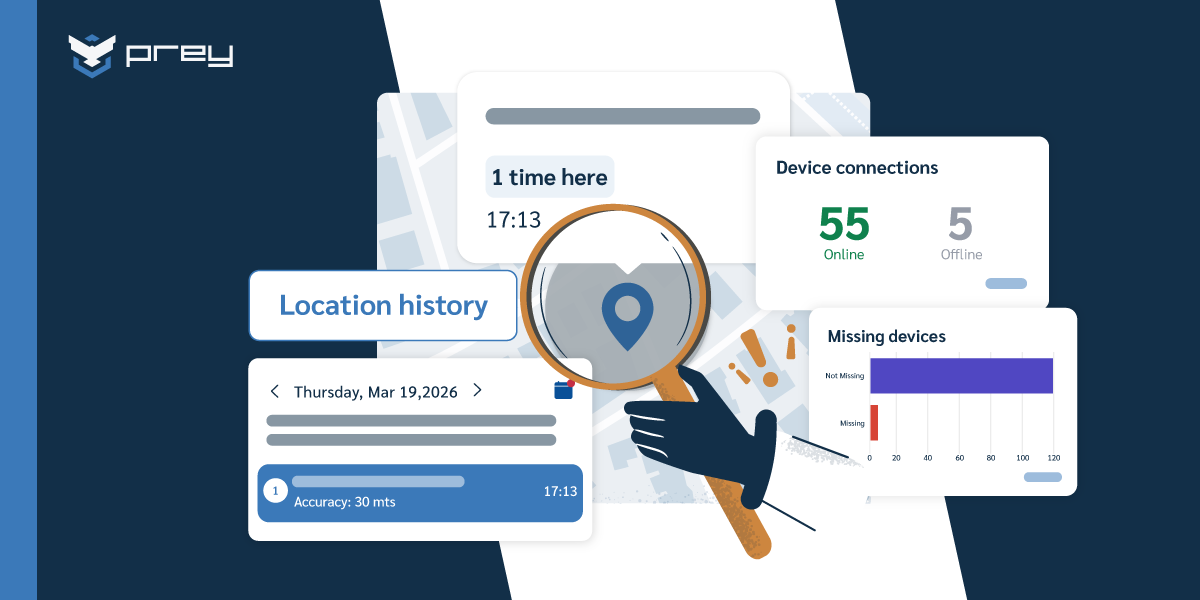
What closes the gap is live visibility instead of a periodic manual count: a current map of where devices are, a check-in history that shows where each one has been, and an inventory that updates itself when hardware changes. That last part matters more than it sounds. When you can pull up which laptops haven't checked in for 30 days, which are running an outdated OS, and which are missing an encryption flag, you've replaced a document that lies with a dashboard that doesn't. This is the same foundation behind any serious corporate laptop tracking setup, applied to a fleet that's harder to pin down.
The visibility gap is also where compliance quietly starts. You can't prove a device was secured if you can't prove where it was or when you last saw it. For field teams carrying regulated data off-site, "we don't actually know" is not an answer an auditor accepts.
Quick win: Pull your current field inventory and flag every device with no confirmed location or check-in in the last 30 days. That list is your real blind spot. Start there before you touch any other control.
What happens when a field device goes missing?
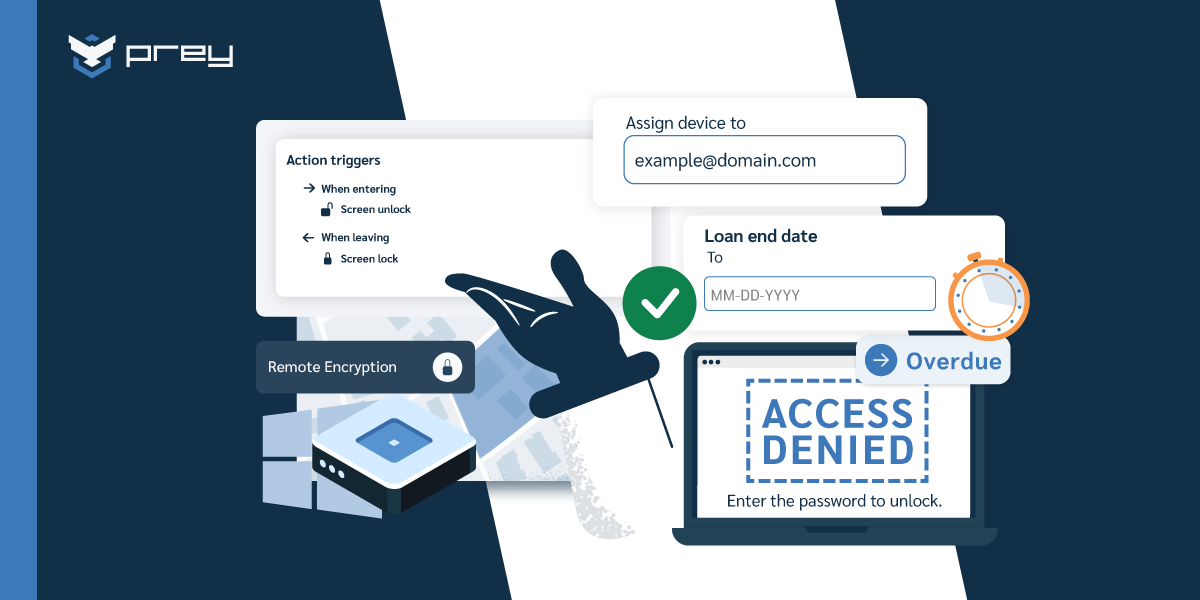
When a field device is lost, the sequence is locate, lock, then decide on wipe. Place it using its last check-in and location history. Remotely lock it so nobody can use it while you assess. Then decide on wipe: if it holds regulated data and recovery looks unlikely, erase it. The faster you move, the smaller the exposure window.
Here's the part most guides skip because it's uncomfortable: what happens when the device is offline, or someone factory-resets it? Be honest with yourself and your buyers about this. If a field device is offline, your lock or remote wipe command queues and executes the moment it reconnects and checks in. If a thief or a careless user does a full OS reinstall, a software agent doesn't survive that; nothing at the OS level does. The real backstops are set before the loss: full-disk encryption so the data is unreadable regardless (Microsoft's BitLocker on Windows, FileVault on macOS), a BIOS or firmware password to slow a reinstall, and platform activation locks such as Apple's Activation Lock. Encryption is the control that actually protects the data when the device is gone. A remote wipe protects you when the device comes back online first; encryption protects you when it doesn't.
The reason speed matters is best told by a real case. A construction customer described using Intune and finding location painfully slow: "it takes forever by the time the device is located. With Prey, it is instantly and we also get the history of past check-ins" (Prey G2 review, 2026). Same team, same review: a worker claimed he'd turned in a laptop. "Showing him his picture of him using it, what he was doing and at his home address. We got that back real fast." That's the field playbook in one story: locate instantly, confirm with evidence, recover before it becomes a data-loss report.
Quick win: Write your lost-device runbook this week and keep it to one page: who gets alerted, who runs the locate, when you lock, and the exact threshold that triggers a wipe. Then confirm encryption is on across the field fleet. A runbook you can execute in five minutes beats a perfect one you have to invent under pressure.
Field device management by vertical: same problem, different job site
The core job stays constant (see it, secure it, recover it), but the loss profile changes completely depending on where the device goes. A generic remote-work guide can't help you here because it's written for a person at a home desk. Field management is written for the job site, and the job site is different in every industry.
Construction and trades. Devices ride in trucks between sites, get shared across crews, and take physical abuse. Loss is routine, not exceptional, and a lost tablet often carries site plans and client contracts. The priority is fast location plus deterrence, because half the "lost" devices are recoverable if you can place them quickly.
Healthcare home visits. A nurse or care worker carries a laptop into patient homes all day. That device holds regulated health data the moment they log in, and it spends hours off any managed network. Here the priority is a tight lock-and-wipe path and proof of control, because a device left on a patient's kitchen table overnight is a potential HIPAA exposure, not just a lost asset.
Field service and utilities. Technicians move between sites on routes, often rural, often offline for stretches. The recurring need is to confirm a device actually reached the site without turning it into surveillance of the worker. Rugged laptops in this world need enterprise management for remote lock, wipe, and theft protection, applied the same way you'd secure any fleet of managed laptops.
Retail floors and travelling sales. Mobile point-of-sale tablets and demo devices live on the floor or on the road. One Prey retail customer summed up their whole use case as "tracking mobile device workforce, providing security and peace of mind" (Prey G2 review, 2026). Another recovered a tablet left at an airport: "it really helps with our travelling sales team to be able to find lost items." These are high-turnover, easy-to-misplace devices where a live map earns its keep every week. The same visibility applies whether the person is on a sales route or part of a broader remote workforce carrying laptops and phones.
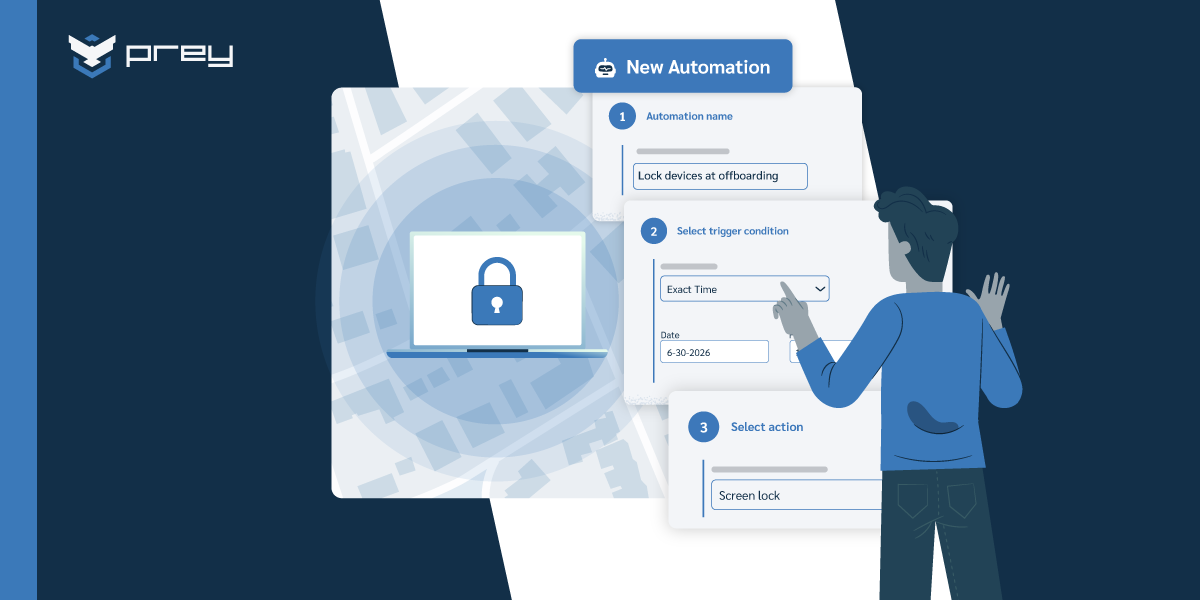
Quick win: Map your field devices to routes, crews, or branches, then set a location perimeter (a geofence) around each fixed site or branch. When a device leaves a zone it shouldn't, you get an alert while the device is still close, not a mystery the next morning.
How do you track field devices without becoming Big Brother?
You introduce tracking as asset protection with clear consent, not surveillance, and back it with settings that limit what you see. Tell the team what's tracked and why, in writing. Use lost-mode tracking so devices aren't broadcasting location during normal work. Scope admin access by role. Frame it as protecting the person and the data.
This is not a soft concern. It's one of the fastest ways a rollout stalls. In Prey's demos, several buyers raised it directly: managers worried about how staff would react, one noting that employees "already feel watched," and another flagging that even the product name felt unnerving to their team. The fear isn't the tracking capability. It's becoming the manager who surveils people. If your policy reads like monitoring, morale drops and workarounds start, and a device with the agent quietly disabled is worse than no program at all.
The framing that works is accountability and coverage, never "catching" anyone. A field-service company verifying that a tech reached a job site is documenting work, not spying. In some regions this even becomes a compliance requirement rather than a choice: certain labor-insurance regimes expect an employer to know an employee's work location to maintain accident coverage. When you position tracking as protecting the worker's coverage and the company's data, the conversation changes. The technology is the same. The story you tell about it is what determines whether the team accepts it, which is why good device management practices increasingly lead with policy and transparency, not with tracking power.
Quick win: Write a one-paragraph tracking policy in plain language: what's tracked, when it's active (ideally only when a device is reported lost), who can see it, and what it's never used for. Share it before you deploy, not after. Consent given up front is the difference between a tool your team tolerates and one they resent.
Where MDM ends and endpoint recovery begins
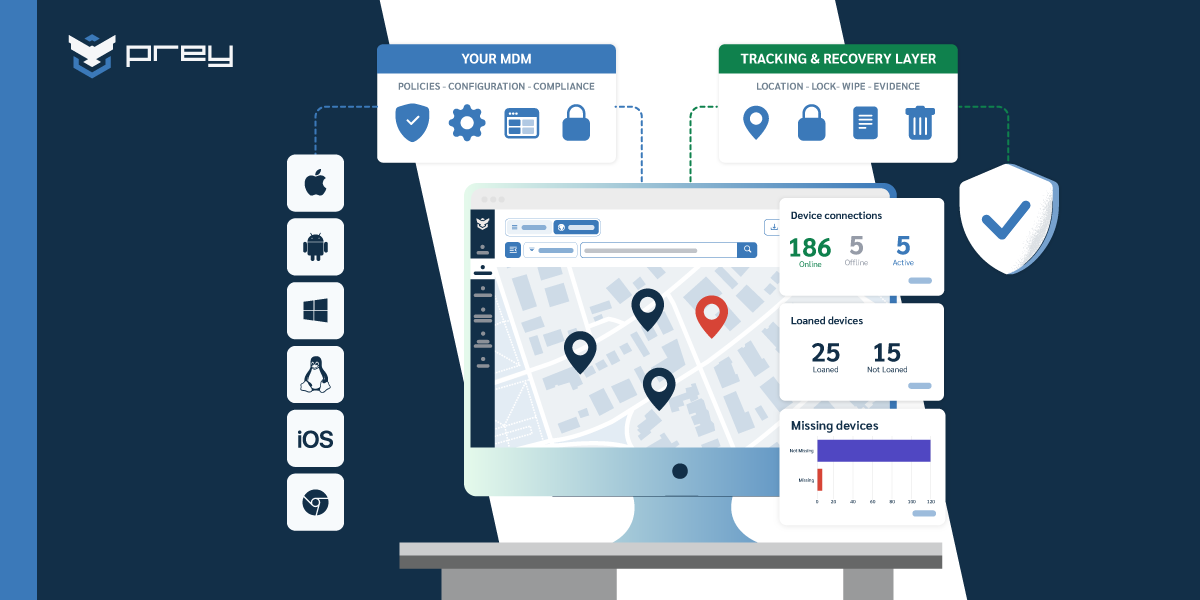
Most field teams already run some device management, and the question isn't whether to replace it. A traditional MDM or UEM is good at provisioning, policy, app deployment, and OS lockdown. Where it tends to fall short for mobile fleets is exactly the field team's daily pain: fast location and quick loss recovery. That's the gap to fill, not the whole stack to rip out. The difference between MDM, UEM, and EMM is worth knowing, but for field work the practical split is simpler: management versus recovery.
This is where a purpose-built visibility and recovery layer fits. An endpoint tool focused on location, remote actions, and audit records lets IT do the field-specific work: pull up a live map of every device, see check-in history to reconstruct where a "lost" one has been, lock or wipe on demand, and set geofences around job sites. The construction customer above was running Intune and layered Prey on top precisely because location that "takes forever" is useless when a device is walking off a site right now. That's the complement pattern in practice. The MDM keeps doing policy; the recovery layer answers "where is it and can I lock it in seconds."
It works across a mixed field fleet (Windows, macOS, Linux, Android, iOS, Chromebook) under one view, which matters when your crews carry whatever hardware the job needs. Platforms like Prey fit here as the operational recovery layer over an existing MDM, or as the whole answer for a small team that never had one. If you want to compare options on this specific capability, a roundup of MDM solutions with GPS tracking is a reasonable starting point.
Bringing field device management together
The reason field-team device management deserves its own playbook comes back to one line: a remote worker's laptop has a home, but a field team's laptop only has a last-known location. Every practice in this guide follows from that. Your inventory has to be live because the fleet never sits still. Your loss runbook has to be fast because the exposure window opens the moment a device leaves a site. Your policy has to lead with consent because the people carrying these devices are already wary of being watched.
If you do one thing after reading this, make it a test. Pick a field device right now and ask: could you locate it, lock it, and confirm it's encrypted, in the next five minutes? If the answer is "it depends," you've found the gap. Everything else in field management is closing the distance between that answer and "yes." For the broader picture of how these controls fit together, the mobile device management guide is a good next read.
How do you manage laptops for a distributed or field workforce?
Start with live visibility, not policy. Deploy a lightweight agent that reports each device's location, last check-in, and inventory to a single dashboard, so you can see the whole fleet without physically touching it. Layer on remote lock and wipe for loss events, and set geofences around fixed sites. For field teams specifically, prioritize fast location and recovery over provisioning, since the devices rarely return to an office.
What's the difference between remote work and field team device management?
Remote-work device management assumes the device returns to a home desk with predictable connectivity and one owner, so it centers on policy and updates. Field-team device management is built for devices in constant physical motion (job sites, patient homes, delivery routes) that are often shared, frequently offline, and easily lost. The anchor shifts from "checked in at the office" to "last-known location and check-in time," which changes the whole operational model.
Which MDM features matter most for remote lock, wipe, and theft protection on rugged field laptops?
The features that matter most are always-on location with check-in history, on-demand remote lock and wipe (including full factory reset where supported), geofencing for job-site perimeters, and cross-OS coverage for mixed fleets. For rugged field laptops, prioritize speed of location and reliability of the queued command when a device is offline, since field devices spend real time off any managed network.
What happens if a field device is offline or gets factory reset?
If the device is offline, your lock or wipe command queues and runs the moment it reconnects and checks in. A full factory reset or OS reinstall removes a software agent, since nothing at the OS level survives that. The controls that still protect you are set beforehand: full-disk encryption makes the data unreadable regardless, and a BIOS or firmware password plus activation locks slow down reuse. Encryption is the real backstop when a device doesn't come back.
How do you manage remote device risk on a small IT team?
Focus on the few controls that carry the most weight: a live inventory so nothing is a surprise, encryption on every device so lost data stays unreadable, and a one-page lost-device runbook so response doesn't depend on improvisation. Pick tooling that a single admin can run without training, since most field-fleet owners are one-person shops. Automate what you can (alerts on devices that go silent, geofence notifications) so the fleet watches itself.
See every field device on one map, and lock or wipe any of them in seconds. Prey gives lean IT teams always-on location, check-in history, and remote lock/wipe across Windows, macOS, Linux, Android, iOS, and Chromebook, so the fleet that never comes back to the office is still something you can account for. Start a free 14-day trial or get a demo.