
Choosing an Android MDM in 2026
- Three variables decide it: who owns the devices (company-owned vs. BYOD), whether Android is your only OS, and whether your bigger risk is policy drift or a device disappearing with company data.
- Every vendor listicle ranks itself first. So does this one. The difference: each entry includes when not to pick that tool, ours included.
- Already run Intune, Knox, or Jamf? You may not need a replacement: roughly 1 in 4 IT teams in Prey demos (2026) arrive asking for a second tool to fill one gap.
- Speed beats feature count when a device goes missing: one MSP measured 34 minutes just to initiate a remote wipe on Intune (Prey demo, 2026).
- Before you sign anything: shortlist two tools, run both trials against the same three questions, and time a wipe on a real device.
Ask r/sysadmin for an Android MDM recommendation and you'll get twelve answers, eight of them contradictory. Ask Google and you'll get vendor listicles where, by remarkable coincidence, the publishing vendor sits at #1.
This is one of those listicles. Prey is our product, it's on this list, and you should know that before you read a single ranking. Here's what we're doing differently: every tool below, including ours, comes with an explicit "when not to pick it." Because the fastest way to waste a quarter is deploying an MDM that was built for someone else's fleet.
The short answer, if you only read one paragraph: the best Android MDM depends on device ownership (company-owned vs. BYOD), fleet mix (Android-only vs. Windows, macOS, Linux, Android, iOS, Chromebook), and whether your bigger risk is policy drift or a device disappearing with company data. Intune fits Microsoft-first shops, Scalefusion and SOTI fit kiosk and rugged fleets, Hexnode and ManageEngine fit policy-heavy multi-OS teams, Miradore fits micro-fleets, and Prey fits mixed fleets where tracking and recovery speed come first.
The rest of the article is the reasoning behind that sentence.
How we picked (and how to read this list)
Most "best Android MDM" roundups rank tools without ever saying how. One popular list scores tools on review averages, another leads with its own AI features, and none of them evaluates the scenario that actually generates the 2am ticket: a device that's gone.
We compared tools on five criteria: Android Enterprise support (work profiles, fully managed mode, zero-touch enrollment), speed of security actions (how fast can you actually lock or wipe), mixed-fleet coverage, pricing model transparency, and G2 review signal. And we added the column nobody publishes: the fleet each tool is wrong for.
Read it in that spirit. If an entry's "when not to pick it" describes your environment, skip the tool no matter how high it ranks anywhere else, ours included.
The 8 best Android MDM solutions
| Tool | Best for | Android Enterprise depth | Tracking & recovery | Pricing model | When NOT to pick it |
|---|---|---|---|---|---|
| Prey | Mixed fleets, tracking-first | Light (agent-based enrollment) | Always-on location, history, fast lock/wipe, loan manager | Per-device, 14-day trial | Android-only kiosk/rugged fleets needing deep lockdown today |
| Microsoft Intune | Microsoft 365 shops | Full (work profiles, conditional access) | Periodic, coarse location; slow remote actions | Bundled with M365 tiers | Non-Microsoft stacks; theft/loss as top risk |
| Hexnode | Kiosk + multi-OS UEM mid-market | Full (strong kiosk modes) | Periodic location, no theft-recovery workflow | 5 tiers, feature-gated | Recovery-first priorities; flat-price preference |
| Scalefusion | Field & kiosk Android fleets | Deep (Android is home turf) | Remote cast/control; recovery not the focus | Per-device tiers | Knowledge-worker fleets with mixed laptops + BYOD |
| ManageEngine MDM Plus | Budget full MDM | Full (Managed Google Play, containers) | Queued commands, stale last-known location | Low per-device pricing | Lean teams without configuration time |
| Miradore | Micro-fleets (<50 devices) | Basic | Minimal | Free tier + affordable paid | Fleets past ~100 devices; compliance or recovery needs |
| SOTI MobiControl | Rugged devices & IoT at scale | Deep + OEM integrations (Zebra, Honeywell) | Strong diagnostics; enterprise workflows | Enterprise, quote-based | Standard office fleets of phones and laptops |
| Google built-in (Workspace + Android Enterprise) | Baseline before buying anything | Framework layer (work profiles, MGP) | Account wipe only; no theft response | Included with Workspace | Compliance obligations, mixed OS, or recovery under pressure |
1. Prey
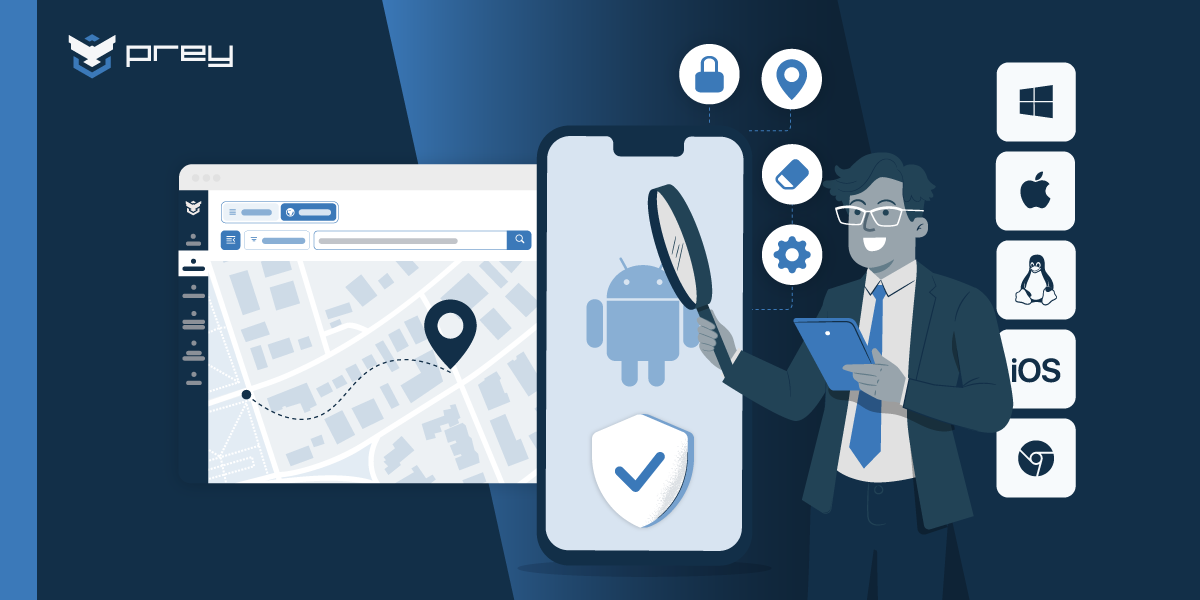
Prey manages, tracks, and protects Android devices alongside Windows, macOS, Linux, iOS, and Chromebook fleets from one dashboard. Enrollment uses a lightweight agent, so tracking, remote lock, and remote wipe are active from the moment the phone or tablet lands in an employee's hands. Its strengths are the ones policy consoles treat as afterthoughts: always-on location with history, geofencing through Control Zones, a loan manager for shared and assigned hardware, and fast lock/wipe when a device goes missing. IT teams rate it 4.7/5 across 57 G2 reviews (2026), and the recurring phrase in those reviews is "set it and forget it."
Pricing is per-device with a 14-day trial (extendable to 30). MSPs get a multi-tenant portal to manage client fleets from one login.
When not to pick it: your fleet is Android-only kiosk or rugged hardware that needs deep lockdown profiles and granular app provisioning today. For that, a specialized Android console like Scalefusion or SOTI is the better fit, and Prey pairs alongside it for recovery.
2. Microsoft Intune
If your organization already pays for Microsoft 365, Intune is effectively bundled, which is why 73% of IT and security leaders surveyed by Prey via Wynter (2026) already run it. It handles Android Enterprise work profiles, conditional access tied to Entra ID, and compliance policies that block non-compliant devices from corporate resources. For policy enforcement in a Microsoft-first stack, it's the default for a reason.
The friction shows up at the edges: setup is heavy, the console is slow for one-off urgent actions, and location on Android is periodic and coarse. One MSP timed a remote wipe at 34 minutes just to initiate (Prey demo, 2026).
When not to pick it: you're not a Microsoft shop, or your top risk is lost and stolen hardware rather than policy drift. Many Intune customers keep it and add a recovery layer instead of fighting it.
3. Hexnode
Hexnode is a multi-OS UEM with one of the stronger kiosk modes in the mid-market: single-app and multi-app lockdown, digital signage, and shared-tablet workflows for field teams. Android Enterprise support is thorough (work profiles, fully managed, zero-touch), and its five pricing tiers let a 60-device company start cheap and grow into advanced features.
The trade-off is that those tiers gate features aggressively; teams often discover the capability they need lives two tiers up. Location tracking is periodic rather than always-on, and there's no theft-recovery workflow (no evidence gathering, no recovery reports).
When not to pick it: your priority is finding and recovering devices rather than configuring them, or you want one flat price instead of a tier ladder.
4. Scalefusion
Scalefusion built its reputation on purpose-built Android fleets: delivery driver phones, retail POS tablets, warehouse scanners. Kiosk mode is the product's core, remote cast and control helps support field workers who can't describe what they're seeing, and its Android Enterprise implementation is deep because Android is the home turf.
Outside that turf it thins out: Windows and macOS management exists but trails the Android depth, and the platform assumes company-owned, locked-down hardware as the default posture.
When not to pick it: a knowledge-worker fleet of mixed laptops and BYOD phones. Scalefusion is tuned for dedicated devices doing one job, not for the fleet where every user is different.
5. ManageEngine Mobile Device Manager Plus
ManageEngine MDM Plus is the budget-conscious full MDM: Android Enterprise support, app management through Managed Google Play, OS update control, and containerization for BYOD, at a price point SMBs can defend to finance. If your team already runs other ManageEngine or Zoho products, the integration story is convenient.
The console shows its age, the learning curve is real, and like most policy-first tools, its answer to a missing device is a queued command and a stale last-known location.
When not to pick it: lean IT teams that need the tool to be self-evident. The feature list is long, but each feature costs configuration time that a two-person team doesn't have.
6. Miradore
Miradore (now part of GoTo) is the entry-level pick: a clean console, quick enrollment, and a free tier that covers basic management, with paid plans that stay affordable. For a company managing 20 to 50 Androids with one IT generalist, it removes the excuse for managing nothing.
Simplicity is also the ceiling. Advanced Android Enterprise scenarios, granular kiosk control, and automation are thin, and support depth reflects the price.
When not to pick it: fleets past ~100 devices, compliance-heavy environments that need audit evidence, or any scenario where device recovery matters. Teams tend to outgrow it within a couple of years.
7. SOTI MobiControl
SOTI has managed rugged Android hardware since before Android Enterprise existed: warehouse scanners, logistics handhelds, healthcare carts, IoT endpoints. Remote diagnostics are excellent, OEM integrations (Zebra, Honeywell) go deeper than anyone's, and it comfortably handles fleets in the tens of thousands.
That power comes with enterprise pricing, a dated interface, and a deployment that assumes dedicated admin staff.
When not to pick it: a standard office fleet of phones and laptops. Paying for SOTI to manage knowledge-worker devices is buying a forklift to move a filing cabinet.
8. Google's built-in management (Google Workspace + Android Enterprise)
Before buying anything, know what you already have. Google Workspace includes basic mobile management: screen-lock enforcement, account wipe, and an inventory of enrolled Androids, with no extra license. Android Enterprise provides the underlying framework (work profiles, Managed Google Play) that most tools on this list build on.
It's a baseline, not a management strategy: no cross-OS coverage, minimal policy granularity, no always-on location, and nothing resembling a theft response workflow.
When not to pick it: the moment you have compliance obligations, mixed operating systems, or hardware you'd need to find and wipe under pressure. Which, for most teams reading this, is now.
Already running an MDM? When two tools beat one
Here's the buyer nobody writes listicles for: you already have an MDM, and it's not going anywhere. Your Knox licenses are paid, your Intune policies took a year to tune, and yet a gap keeps producing tickets. Roughly 1 in 4 IT teams arriving at Prey demos (2026) open with exactly this frame; as one IT services lead from Panama put it, "our current MDM doesn't allow continuous tracking; we're looking for a complement, not a replacement."
The gaps cluster by platform. Samsung Knox shops discover it manages Android only, the day the company buys its first batch of Windows laptops. A UK head of IT infrastructure with 300 devices described the mirror image: "Jamf works for iOS, but it fails to provide the visibility for tracking lost or stolen MacBooks." Intune shops hit the speed problem described above. Different consoles, same shape: strong at policy on their home platform, weak at location and recovery everywhere.
That's why "which MDM should I buy" is sometimes the wrong question. The right one: which specific failure is generating tickets, and does fixing it require replacing anything? If your policy engine works, keeping it and adding device tracking and recovery alongside is cheaper than a migration, in both money and weekends.
Quick win: open your current MDM and check the last-reported location and timestamp for five remote Android devices. If the freshest one is hours old, you've found the gap before an incident does.
Policy depth vs. recovery speed: the trade-off nobody prices
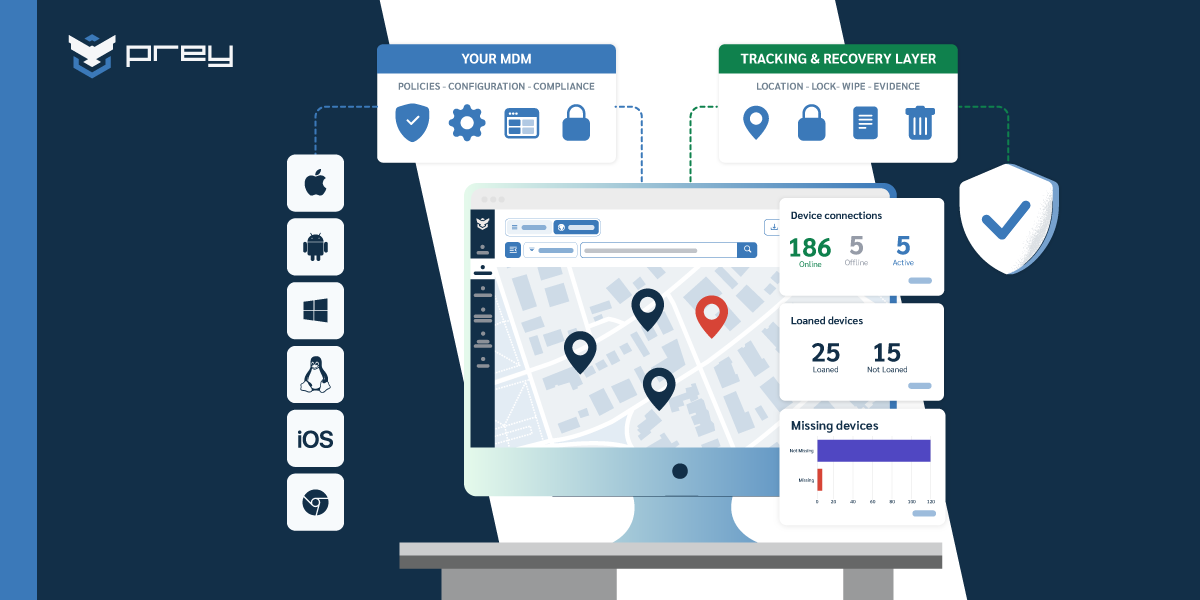
A company-owned tablet in fully managed mode goes missing off-network on a Friday. The MDM does what queued commands do: waits. Its last location is hours stale, the wipe sits pending, and the person responsible for the data spends the weekend refreshing a console. Every capability that won the RFP (app provisioning, compliance reports, kiosk profiles) is irrelevant to the only question that matters right now: where is it, and is the data gone?
This is the axis Android MDM comparisons skip. Feature matrices measure policy depth, and policy depth is real; it's what keeps 300 devices configured identically and auditors satisfied. But security incidents are measured in minutes, and the tools deepest in policy are routinely slowest at remote wipe and vaguest on location. The 34-minute Intune wipe wasn't an outage; it was the product working as designed, for a different priority.
So price both sides. Policy drift costs you gradually. A lost device with cached customer data costs you all at once, with a notification deadline attached. Which failure mode does your current tooling actually cover?
Quick win: run a fire drill this month. Pick a test Android device, declare it "lost" at 4pm on a Friday, and time two things: minutes to a location you'd act on, and minutes to a completed wipe. Those two numbers tell you more than any feature grid.
How do you choose for your fleet?
Choosing an Android MDM comes down to three questions: who owns the devices (company-owned unlocks fully managed mode; BYOD needs work profiles), whether Android is your only OS (specialists for single-OS, multi-OS tools for mixed fleets), and which failure you're buying against: policy drift or lost hardware. Narrow to two candidates before running any trial.
Who owns the devices? Company-owned fleets can use fully managed mode and aggressive controls; BYOD requires work profiles that respect the personal side, or you'll meet the resistance every IT team knows: users who feel surveilled will route around you.
Is Android your only OS? If yes, the Android specialists (Scalefusion, SOTI, Hexnode) reward the focus. If your reality is the mixed fleet most SMBs actually run, prioritize tools that cover the whole fleet over Android-perfect point solutions; two consoles per platform is how visibility dies.
What failure are you buying against? Policy drift and shadow apps point to a UEM. Lost hardware, offboarding no-returns, and loaner programs that leak devices point to tracking-first management. Both at once is the honest answer for many teams, and it's a legitimate architecture, not indecision.
Special cases have their own paths: schools should start from the education device management angle where student privacy rules the design, and teams with in-house Linux talent can weigh an open source MDM against the admin hours it quietly costs.
Quick win: before starting any trial, write down the three tickets from the last quarter that made you want an MDM in the first place. Test every candidate against those tickets, not against its own demo script.
The honest conclusion
We told you upfront: this is a vendor listicle with the vendor in it. The way to use it, and every list like it, is to ignore the ranking and read the disqualifiers. The tool whose "when not to pick it" doesn't describe you is your shortlist.
If your Androids are dedicated kiosk hardware, you now know where to look, and it isn't us. If you're a Microsoft shop with policy needs, you're likely keeping Intune and deciding what to pair with it. And if you run the mixed fleet with phones that travel, laptops that leave, and hardware that sometimes doesn't come back, that's the fleet Prey was built for.
Monday morning: pull those five location timestamps. Everything else in this article follows from what you find.
What's the difference between MDM, EMM, and UEM for Android?
MDM manages the device itself: enrollment, policies, lock, and wipe. EMM adds app and content management on top, largely through Android Enterprise and Managed Google Play. UEM extends the same console beyond mobile to laptops and desktops across operating systems. Most modern tools blur the labels, so evaluate the capabilities you need instead of the acronym on the pricing page.
How much does Android MDM software cost?
Most tools price per device per month, typically between $1 and $9 depending on tier and features, with rugged/enterprise platforms like SOTI priced higher and quoted per deployment. Watch for feature gating: kiosk mode, zero-touch enrollment, and advanced reporting often live in upper tiers, so price the tier you'll actually need, not the entry one.
What's the best MDM for Android Enterprise deployments?
For deep Android Enterprise work (fully managed devices, dedicated-device kiosk profiles, zero-touch at scale), the strongest fits are the Android-first consoles: Scalefusion, Hexnode, and SOTI, with Intune competitive inside Microsoft environments. If you also need multi-OS coverage and fast recovery on top of a light Android Enterprise footprint, that's the mixed-fleet profile where Prey fits.
Can I manage BYOD Android phones with these tools?
Yes, through Android Enterprise work profiles, which split the phone into a managed work container and an untouched personal side. You control work apps and data, can wipe only the work profile, and can't see personal photos or messages. Communicate that boundary clearly at enrollment; BYOD programs fail on trust more often than on technology.
Do I need both an MDM and a device tracking tool?
If your MDM's location data is periodic and its remote actions queue for minutes or hours, then pairing it with an always-on tracking and recovery layer is a common architecture; about 1 in 4 teams in Prey demos (2026) arrive asking for exactly that. If your fleet is small and mixed, a single tracking-first platform like Prey can be the management layer itself.
See how Prey manages your Android fleet. Run the Friday fire drill with us instead of alone: start a 14-day trial or book a demo and time your first locate-and-wipe on day one.